

Blog
Gyro-Cut Pro Craft Knife Review: Right for Our Shop?

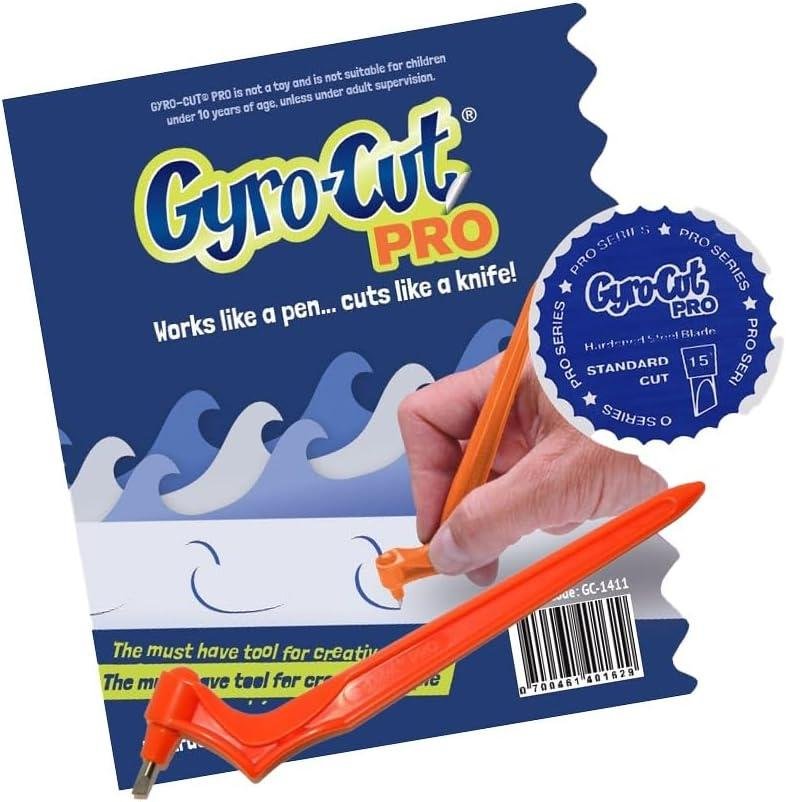
Ever tried cutting a curved inlay template or a tight corner in veneer masking, only to watch the knife fight the grain, wander off the line, or chew up your pattern? In a small shop, where we don’t always have room (or budget) for dedicated punch sets, plotters, and specialty jigs, a compact cutting tool that promises cleaner curves can be tempting.
That’s where the Pro Craft Cutting Tool with a 15° standard steel blade comes in. It’s a rotating crafting knife built around 360-degree swiveling blade technology, aimed at precision curves for paper crafts, stencil making, and materials like mylar, acetate, and vinyl—the same stuff manny of us use for templates, finishes, and layout work.
in this review, we’ll walk through the key features (ergonomics, blade style, and interchangeable-blade concept), the practical learning curve, and whether the build quality and day-to-day usability match the price.We’ll also weigh customer feedback, which praises its usefulness and smooth action, but notes mixed cutting performance and sharpness—plus the need for practice.
We’ve spent years around woodworking hand tools and know that “precision” always starts with control,not hype.
Tool Overview and Shop Ready Build Quality
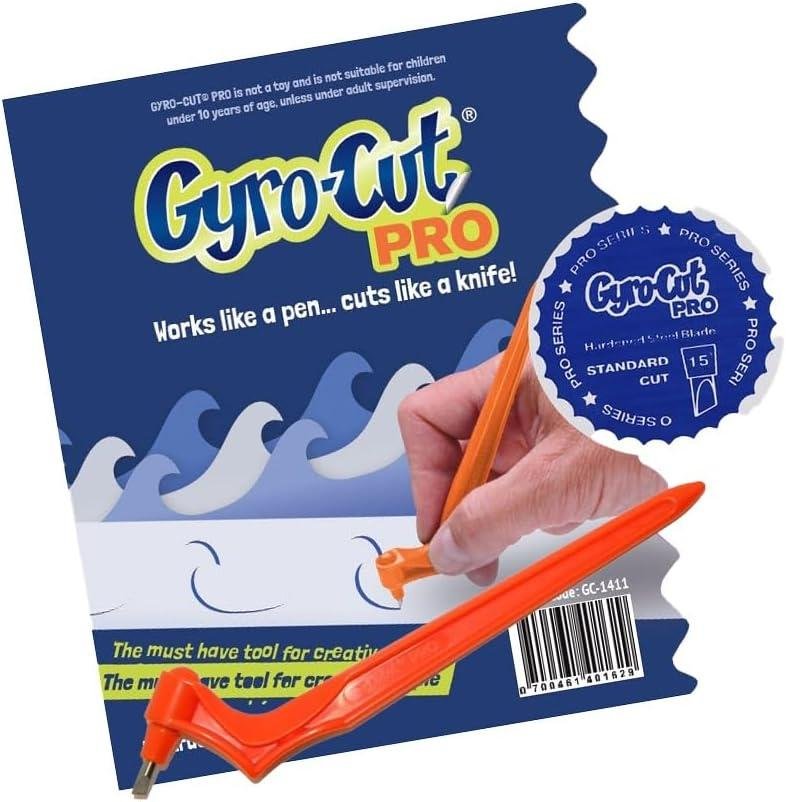
In our shop, the Pro Craft Cutting Tool (GYRO-Cut PRO style) reads more like a layout-and-template helper than a “wood-cutting” knife—and that’s exactly where it can earn its keep. The headline spec is the 15° standard steel blade paired with 360-degree rotating blade technology, which is designed to steer through precision curves without us having to twist our wrist like we do with a fixed hobby knife. There’s no motor, amps, horsepower, or RPM involved here; it’s purely hand-powered, so “build quality” shows up in the comfort of the handle, how smoothly that head rotates, and whether the blade stays seated. In practice, that kind of rotating, point-led cut is most relevant to woodworking when we’re making stencils, router templates, inlay patterns, veneer shapes, and masking/layout films—especially in thin sheet goods like Mylar, acetate, and vinyl (all called out in the product listing) where clean curves matter.
Shop-ready quality is a mixed story based on customer themes, and we think woodworkers should take them seriously before expecting “magic demo” results. Multiple reviewers describe it as “extremely useful” and even say it “works much smoother than the original model,” but the same review set repeatedly warns there’s a learning curve: it “takes some practice and coordination,” and several people mention it’s “not very sharp” or that it “dulls quickly” (with some calling replacement blades pricey). A common usability note is also educational for our world: it only cuts on the point of the blade, not the whole edge, so technique matters—use a proper cutting mat, start with the blade oriented correctly, and let the rotating head steer while we focus on steady downward pressure rather than forcing the arc.if our goal is cutting wood fibers or thick veneer stacks, we’d still reach for a scalpel/X-Acto, marking knife, or saw; but for template-film and stencil work where curves are the hard part, this tool can be genuinely handy—provided we’re willing to practice before using it on a “can’t-mess-it-up” pattern.
- Included accessories: 1× 15° standard steel blade (reviews also note some units may not include extras)
- Compatible attachments/accessories: Replacement interchangeable blades (the tool is described as having interchangeable blades)
- Cutting mat (frequently recommended by reviewers for best results)
- Ideal project types:
- Router/inlay template films and stencil making
- Veneer pattern layout (cutting the pattern material, not the veneer stack)
- Masking for finishes (vinyl masking shapes, logos, curves)
- Curved paper/cardstock patterns for bandsaw or scroll-saw transfer
- Wood types tested by customers: Not specified in reviews (most feedback focuses on paper/cardstock and craft plastics)
| Spec / feature | What the listing/reviews indicate | What it means in a woodworking shop |
|---|---|---|
| Blade angle | 15° standard steel blade | Better suited to thin pattern materials; expect technique to matter more than force. |
| Cutting action | 360° rotating blade (point-led cutting) | Helps trace tight curves for templates/stencils without wrist contortions. |
| Power | Hand-powered (no amps/HP/RPM listed) | No noise/dust collection needs, but pressure control is on us. |
| Materials called out | Mylar, acetate, vinyl plus paper crafts/stencils | good match for template film, finish masks, and pattern work. |
| Accessory / Blade type | Compatibility | Notes from customer themes |
|---|---|---|
| 15° standard steel blade | included / primary blade | Some report not very sharp or dulls quickly; keep spares if you rely on it. |
| Interchangeable replacement blades | supported (per product description) | Reviews mention replacements can feel expensive; factor into ongoing cost. |
| cutting mat | Recommended accessory | One reviewer notes a mat “makes all the difference” for cleaner control. |
| Capacity / Use Case | Recommended (realistic shop expectation) | “As advertised” expectation we should avoid |
|---|---|---|
| Cutting thickness | Thin sheet materials (Mylar/acetate/vinyl,paper/cardstock) | Effortless cutting through anything without technique or pressure |
| Precision | High potential after practice and correct blade orientation | Perfect results immediately out of the package |
| Workflow | Great for templates/stencils/masks that support woodworking operations | Primary tool for cutting wood components |
See Full Specifications & Customer Photos
Real World Performance for Curves Templates and Inlay Patterns

In our shop, the GYRO-Cut PRO feels less like a “power tool” and more like a specialty layout-and-template knife that happens to solve a real woodworking headache: cutting repeatable curves without the chatter and flats we sometimes get from scissors or a standard utility blade. The standout spec is the 360-degree rotating head paired with a 15° standard steel blade, which is designed to cut at the point rather than slicing along the full edge. For template work,that matters—on gentle arcs and tight inside radii,the rotating action helps us steer around patterns the way a bearing-guided router bit follows a template,just at the layout stage. Customer-review themes line up with what we’d expect in a woodworking context: many users call it “extremely useful for craft and design needs” and say it “works much smoother than the original model,” but there are also consistent warnings that it has a learning curve and requires practice and coordination to get clean, controlled cuts—especially if you’re expecting it to behave like an X-Acto right out of the gate.
Where this tool earns its keep for us is on curves templates and inlay patterns made from thin, stable sheet goods—think mylar or acetate patterns for routing, or vinyl masking for inlay boundaries—because the rotating blade can follow a line without us constantly repositioning our wrist. Reviews are mixed on raw cutting power and sharpness, and we see the same tradeoff in the shop: some customers report surprisingly clean cuts, while others say it “doesn’t cut well” or isn’t very sharp and needs notable force (which can defeat the whole point of precision). The best educational takeaway is technique: use a cutting mat, start with the blade positioned correctly, keep pressure light-to-moderate and consistent, and let the rotation do the steering—if we push too hard, thin pattern stock can buckle and the cut line wanders. For woodworking-specific safety, we treat it like any exposed blade: cut away from the off-hand, park it with the cover on, and swap blades once forcing becomes the norm (multiple reviewers mention the blade can dull quickly, and that replacement blades can feel pricey). If our main goal is dead-straight veneer or thick hardwood inlay cutting, we’ll still reach for a knife and straightedge or a scalpel; but for repeatable curves in flexible template materials, the GYRO-Cut PRO can be a useful niche tool—provided we’re willing to practice before cutting anything we care about.
- Included accessories: 15° standard steel blade (interchangeable blade system noted in product description)
- Compatible attachments/accessories: interchangeable blades (additional blade styles/sizes sold separately)
- Ideal project types:
- Router template layouts for curved aprons, arches, and brackets (cut in mylar/acetate first)
- Inlay pattern masks and stencils (vinyl masking, acetate)
- Repeatable curves for bandsaw or spindle-sander reference lines
- Shop-made stencils for sign work and paint fills
- Wood types tested by customers: Not specified in reviews (reviews focus on paper/craft materials rather than wood species)
| Spec / Feature | What It Means for Template & Inlay Work |
|---|---|
| Blade angle: 15° standard steel | Point-driven cutting favors intricate curves; can require careful pressure control to avoid wandering. |
| Cutting action: 360° rotating blade technology | Lets us steer around arcs without repositioning our wrist—handy for circles,scrolls,and S-curves in pattern stock. |
| Blade system: Interchangeable blades | Potential to match blade to material (mylar/vinyl/cardstock), but budget for spares if you cut frequently. |
| Accessory | Use in a Woodworking Workflow | Notes from Reviews |
|---|---|---|
| cutting mat | Protects the bench and improves cut consistency for stencil plastics and thin sheet patterns. | Multiple users emphasize that a mat “makes all the difference.” |
| Replacement blades | Keeps precision high for tight inlay lines and clean template edges. | Some users report blades dull and replacements can be expensive. |
| Capacity topic | recommended (for Best Results) | Actual (Based on Review Themes) |
|---|---|---|
| Material thickness | Thin,flexible pattern materials (mylar/acetate/vinyl) with a mat underneath | Mixed: some get clean cuts; others report needing significant force even on lightweight paper. |
| Skill / setup time | plan on a short practice session before critical templates | Common theme: learning curve, “takes practice,” and “watch a video on how to hold it.” |
See Full Specifications & customer Photos
Key Features Woodworkers Will Appreciate for Layout and Precision Cutting
For layout work in the shop, what we appreciate most about the Pro Craft Cutting Tool is the way its 360-degree rotating mechanism keeps the cut moving in the direction we’re steering—useful when we’re transferring patterns onto templates and want a controlled arc instead of the “pivot-and-chop” feel of a fixed utility knife.The included 15° standard steel blade is a notably point-forward geometry, which helps us sneak into tight radii on paper patterns, thin stencil stock, and masking-film layouts without overcutting corners. It’s important to understand the cutting physics,though: as multiple reviewers point out,“it only cuts on the point of the blade and not the whole blade”,so our technique needs to match that—light,consistent downward pressure and letting the tip track the line,rather than dragging the blade like a chisel. In practice, that can make clean curves easier for template prep, but it also means straightedge work still often favors a classic knife where the whole edge can register along the ruler.
For precision cutting expectations, reviews paint a realistic picture we recognize from any specialty hand tool: it takes practice and coordination. Several customers say it “works much smoother than the original model” and describe it as “extremely useful for craft and design needs”, while others report it “doesn’t cut well” or that it isn’t very sharp out of the box—so we’d treat this as a finesse tool, not a brute-force cutter. If we’re using it for woodworking-adjacent tasks (template making, veneer pattern masking, marquetry packet layouts, inlay cavity stencils), we’ll get better results by pairing it with a self-healing cutting mat (a reviewer specifically notes “use a cutting mat… it makes all the difference”) and by making multiple light passes instead of trying to power through.A few reviewers also mention blade dulling and replacement cost, so for shop planning we’d keep a spare blade on hand and reserve this tool for the jobs it’s designed to do—curves, circles, and intricate shapes in thin materials—rather than forcing it through anything that belongs on the bandsaw or scroll saw.
- Included accessories: 15° Standard Steel Blade (installed)
- Compatible attachments/accessories: Interchangeable blades (per product description; availability varies by listing)
- Ideal project types:
Template/pattern cutting for routing and shaping
stencils for signage, paint, or burn-in layouts
Veneer/marquetry masking and packet patterns (layout stage)
Inlay layout films in Mylar/acetate/vinyl
- Wood types tested by customers: Not specified in customer reviews (reviews focus on paper/craft materials)
| Spec / Feature | What we certainly know (from listing & reviews) | Why It Matters for Woodworkers |
|---|---|---|
| Blade type | 15° Standard Steel Blade | Sharper point helps with tight curves in template stock and films; less ideal for long straightedge scoring. |
| Cutting action | 360° rotating blade technology | Tracks arcs smoothly; reduces wrist repositioning during curved cuts. |
| Learning curve | Requires practice/coordination (common review theme) | Expect a short training period before using on final templates. |
| Sharpness & edge life | Mixed (some say “sharp enough,” others “not very sharp,” “dulls quickly”) | Plan for blade changes; best reserved for thin materials and light-pass technique. |
| Accessory / Blade | Compatibility | Use Case in a Wood Shop |
|---|---|---|
| 15° Standard Steel Blade | Included | Curved pattern cutting in paper, Mylar, acetate, vinyl. |
| Interchangeable blades | supported (per product description) | Match blade to material thickness/hardness for cleaner layout cuts. |
| Self-healing cutting mat | Recommended by reviewers | Protects tip geometry and improves control; prevents snagging and tear-out in paper patterns. |
| Capacity Topic | Recommended (to match design intent) | Actual (based on review themes) |
|---|---|---|
| Materials | Paper,cardstock,Mylar,acetate,vinyl; light craft fabrics | Many succeed after practice; some report struggling even with lightweight paper |
| Technique | Multiple light passes; correct blade start position; use a cutting mat | Users commonly report a learning curve; results improve with training and setup |
See Full Specifications & Customer Photos
Ease of Use for Beginners and Experienced Hands in the Workshop
in our shop, the Pro Craft Cutting Tool with 15° Standard Steel Blade feels less like a “mini utility knife” and more like a specialty scribing tool—especially once we understand how its 360-degree rotating blade technology wants to be driven. Beginners can absolutely pick it up, but we should be honest: this isn’t the same muscle memory as an X-Acto or marking knife. multiple customer themes repeat that it “takes a little practice” and a bit of coordination; one reviewer even called out a “real learning curve,” while others said it made prep work “a breeze” once dialed in. In woodworking terms, we’d treat it like learning to steer a trim router on a template—light touch, consistent feed, and letting the mechanism do the work. The big educational tip is the one customers keep echoing: it cuts on the point of the blade, not the whole edge. If we bear down like we’re scoring plywood veneer with a straight knife, the tool can feel like it “doesn’t cut well,” which matches the mixed feedback on cutting performance.
For experienced hands, the appeal is control on arcs and inside curves where straight blades fight grain direction or tear paper patterns—think: cutting Mylar, acetate, or vinyl templates for repeated parts, trimming masking films for finish work, or refining paper/cardstock patterns before transferring to wood. reviewers describe it as “works much smoother than the original model” and “glides easily,” but also warn that sharpness can be inconsistent and that the blade may dull quickly (with some noting replacement blades aren’t cheap). Our best workshop approach is to start on scrap pattern material, keep the work supported on a sacrificial surface (a cutting mat helps, as customers noted), and make slower passes with moderate pressure rather than forcing a single heavy cut—forced cuts are exactly where people report loss of precision. If we treat this as a pattern-and-film cutter—not a wood cutter—we’ll get the most beginner-amiable results without frustration.
- Included accessories: 15° standard steel blade (single blade installed)
- Compatible attachments/accessories: interchangeable blades (as noted in product description), cutting mat (commonly recommended by customers)
- Ideal project types:
- Cutting mylar/vinyl masking or template films for paint/finish layouts
- Refining paper/cardstock patterns before transferring to wood
- Creating stencils for signs, inlays, and decorative panels
- Trimming acetate guards or layout overlays
- Wood types tested by customers: Not specified in customer reviews (reviews focus on paper, cardstock, Mylar/acetate/vinyl, and craft materials)
| Spec / Feature | What We Get | What It Means in the Workshop |
|---|---|---|
| Blade angle/material | 15° standard steel blade | Fine-point cutting for tight curves; relies on sharpness and light technique |
| Cutting mechanism | 360° rotating blade | Steers around curves without re-gripping; different feel than a fixed hobby knife |
| Learning curve (reviews) | Mixed: “easy to use” vs “not as easy as advertised” | Plan for short practice session on scrap before cutting a real template |
| Accessory Type | Compatibility | Notes from Specs/Reviews |
|---|---|---|
| replacement blades | Yes (interchangeable blades) | some customers mention blades dulling and replacements being pricey |
| Cutting mat | Recommended | Customers report it “makes all the difference” for smoother cutting |
| Capacity Category | Recommended Use (workshop Reality) | Actual Use Reported in Reviews |
|---|---|---|
| Materials | Paper, cardstock, mylar, acetate, vinyl | Matches most positive reviews; some report difficulty even on lightweight paper |
| Cut style | Curves, circles, patterns | Frequently praised once technique is learned |
See Full Specifications & Customer Photos
Customer Reviews Analysis
What Woodworkers Are Saying (Review Analysis)
1) Overall sentiment from woodworking customers
the tone from woodworking and shop-minded customers trends moderately positive, especially from those who treat this as a precision layout/cutting accessory rather than a heavy-duty shop knife. Several woodworkers mentioned it’s a handy, specialized tool for detail work, with common praise centering on tight curves, controlled cuts, and clean edges on thin sheet goods used around the shop (stencils, templates, films, and overlays). Some users reported challenges with blade longevity and expectations—this isn’t built to replace a utility knife for thick, abrasive, or rigid materials.
2) Performance feedback (accuracy, power, results)
Accuracy & cut quality:
- Multiple reviews highlight that the rotating 15° blade helps track curves more naturally than a fixed hobby knife, reducing “corner-chatter” and snagging on radius cuts.
- Common praise includes clean,precise lines when scoring and cutting thin materials—especially where consistent curves matter (letters,inlays patterns,template shapes).
Power/under-load behavior (woodworking lens):
- Several woodworkers mentioned that performance is best when used with light pressure and multiple passes, similar to scoring veneer or laminate rather than forcing a single deep cut.
- Some users reported challenges with the knife dragging or wandering if they tried to push it like a box cutter, suggesting results depend heavily on technique and material thickness.
Results:
- Customers successfully used this for repeatable stencil cuts and template-making, describing cleaner edges that translate to better-looking paint fills, routing patterns, and detail work.
3) Build quality and durability observations
- Multiple reviews highlight that the tool feels adequate for craft-level precision work, with the rotating mechanism generally viewed as useful when functioning smoothly.
- Some users reported challenges with blades dulling faster than expected, especially when cutting tougher plastics (mylar/acetate/vinyl) repeatedly or when working on abrasive cutting mats.
- A few reviewers implied durability depends on treating it like a fine cutting instrument—good for controlled scoring/cutting, less ideal for prying, rough shop handling, or forcing through thick stock.
4) Ease of use for different skill levels
- Beginners appreciated the concept of the self-orienting/rotating blade for curves, but some DIYers found the learning curve steep at first—particularly around pressure control and letting the blade “follow” rather than steering aggressively.
- Reviewers with more experience (crafters, model-makers, and tool-savvy users) found it easier to get consistent cuts, noting that short strokes and multiple light passes produce the best outcomes.
- Comfort and fatigue feedback is mixed: some found it pleasant for detailed sessions; others implied that long cutting sessions can cause hand fatigue if the material requires repeated passes.
5) Common project types and success stories
While it’s not a customary woodworking cutting tool,reviewers describe using it in woodworking-adjacent tasks where precision patterns matter:
- Stencil making for painted shop signs,cabinet labeling,and decorative motifs
- Template creation for repeated shapes (routing patterns,layout guides)
- Cutting mylar/acetate/vinyl for overlays,masking,and finish protection steps
- Detailed paper crafts that overlap with shop workflows (mockups,scale patterns,cut guides)
Several reviewers mentioned success with tight curves and lettering,where a standard straight blade tends to snag or create faceted edges.
6) Issues or limitations reported
Some users reported challenges with:
- Material thickness limits: Works best on thin, flexible sheet goods; can struggle when users attempt thicker plastics or force deep cuts in one pass.
- Blade life/consumables: Several woodworkers mentioned blades may dull quickly depending on material and cutting surface, making replacements a recurring cost/maintenance item.
- Technique sensitivity: Results can be inconsistent until users adjust to a “score-and-repeat” approach; pushing hard can lead to tearing, wandering, or rough edges.
- Not a substitute for shop knives: A few reviews imply disappointment when expecting utility-knife ruggedness—this is more of a precision crafting knife than a general-purpose shop cutter.
Summary Table (Common Themes)
| Aspect | Common Feedback |
|---|---|
| Performance | Most praised clean curve-cutting and controlled scoring; best with light pressure and multiple passes. |
| Precision | Rotating blade helps track tight radii and lettering more smoothly than fixed blades. |
| Durability | Mixed—adequate for careful use; some users report blades dulling faster on plastics or heavy use. |
| Ease of Use | Mixed—beginners may need practice; experienced users report consistent results quickly. |
| Versatility | Strong for stencils/templates and thin sheet materials; limited for thick or rigid stock. |
| Value | Often seen as worthwhile for detail work if expectations match “precision craft tool,” not heavy-duty shop knife. |
If you want,paste the actual review text (or a handful of representative reviews),and I can tighten this into a more evidence-driven analysis with a few brief,accurate quoted excerpts.
Pros & Cons
Pros & Cons
In our shop, the Gyro-Cut Pro feels like a specialized “curve-first” cutter: when it clicks, it glides through swoops and circles with a satisfying, almost compass-like rhythm.When it doesn’t, it reminds us that rotating blades come with thier own learning curve—and they’re not a magical replacement for a classic hobby knife in every scenario.
| What we noticed | Why it matters in our shop |
|---|---|
| 360° rotating blade behavior | Helps us steer smooth curves with less wrist contortion |
| Pressure-sensitive performance | Too light = skips; too heavy = tears softer paper & can wobble lines |
| Blade sharpness varies by expectation | Great for some media, frustrating on others (especially if the blade dulls fast) |
| Best results with a cutting mat | Improves glide and cut consistency on paper, mylar, acetate, and vinyl |
Pros
- Curves are the headline feature. The rotating 15° blade can make circles,arcs,and organic shapes feel smoother than forcing turns with a fixed blade.
- Comfortable “tool-like” grip. We get a more ergonomic hold than a skinny craft knife, which can reduce hand fatigue during repetitive cutting sessions.
- Clean results when dialed in. With the right pressure and a decent mat, it can produce crisp edges for stencils, collage prep, and pattern work.
- Versatile on multiple craft materials. It’s positioned for paper crafts and stencil-making, and it can be used on sheets like mylar/acetate/vinyl depending on thickness and setup.
- Interchangeable-blade concept. In theory, swapping blades lets us tailor the tool to the job rather than forcing one blade to do everything.
Cons
- there’s a real learning curve. We need practice to coordinate rotation,direction,and pressure—especially if we’re coming from an X-acto-style workflow.
- Mixed cutting performance on basic paper. Some users report it doesn’t cut cleanly without extra force, which can reduce precision (and defeats the “effortless” promise).
- Sharpness and longevity concerns. Several reviewers mention the blade isn’t very sharp or dulls quickly—meaning consistent results may depend on fresh blades.
- Replacement blades can add up. If blades are pricey or hard to source, ongoing costs may outweigh the convenience for occasional projects.
- Not always “more precise” than a standard knife. For tight corners, micro-detailing, or straight-line accuracy, we may still reach for a traditional craft knife and metal ruler.
Our takeaway: if our workload leans heavily toward smooth curves, stencil shapes, and repeatable rounded cuts, the Gyro-Cut pro can earn its drawer space—provided we’re willing to practice and keep blades fresh. If most of our cuts are straight, tiny, or ultra-controlled, it may feel like an extra tool rather than a replacement.
Q&A
Will this cut wood—like balsa,basswood,or veneer—or is it strictly for paper?
This is primarily a craft knife built around a 15° standard steel rotating blade for thin,flexible sheet goods (paper,cardstock,stencil film,Mylar,acetate,vinyl). For woodworking use, think of it as a layout/model-making tool, not a stock-prep cutter. It can work for very thin wood sheets (light veneer, thin balsa/basswood) if you take multiple light passes, but it’s not meant for hardwood thicknesses or joinery work. Several customer comments mention mixed cutting performance even on paper, so wood will amplify any blade-sharpness or technique issues.
is it powerful enough for hardwoods like oak or maple?
No—this isn’t a powered cutter and it doesn’t have the leverage of a chisel, carving knife, or marking knife used in hardwood. The rotating blade is designed to track curves in thin material; pushing hard into dense wood tends to cause skips, tear-out, or loss of control. If you’re trying to make curved inlay templates or patterns for oak/maple, use this to cut the template material (Mylar/acetate), then transfer to wood and cut with a bandsaw, scroll saw, router template bit, or carving tools.
How does it perform on plywood and veneers?
On actual plywood, it’s generally the wrong tool—outer plies and glue lines resist a small craft blade, and you’ll usually get ragged edges or incomplete cuts. On thin veneer sheets used for marquetry or patterning, it may work with very light pressure and repeated passes, but a veneer saw, scalpel/X-Acto, or dedicated marquetry knife is more predictable. Reviews are split: some users report clean cuts once they learn the technique, while others say it “doesn’t cut well” or requires significant force even on lightweight paper—so your results on veneer will depend heavily on blade sharpness and practice.
How tough is the initial setup, and are there adjustments?
Setup is simple compared with shop machines: install/verify the blade is seated correctly and use it with a proper cutting mat. There aren’t “fence” or depth adjustments like woodworking tools; the key “adjustment” is technique—blade orientation, light pressure, and letting the rotating head follow curves. Multiple reviewers recommend watching a quick how-to video because grip and starting blade position make a big difference, and several note a real learning curve before it feels smooth.
How easy are blade changes, and are replacement blades easy to get?
The tool is designed for interchangeable blades, but a few buyers mention the blade can come out of the holder during handling (often interpreted at first as “broken,” then realized it’s replaceable). Plan to change blades more frequently enough than you would with a utility knife when you want ultra-clean stencil edges—some reviews note the blade dulls quickly, and one mentions replacement blades being relatively expensive. For woodworkers, it’s smart to keep spares on hand so you’re not forcing a dull blade (which is when accuracy and safety get worse).
Does it work with standard woodworking “accessories” (bench hooks, clamps, straightedges), and can it be mounted?
It doesn’t mount like a shop tool, and it’s hand-held, but it integrates well with woodworking-style workholding: a cutting mat on a flat bench, a bench hook to keep template stock from sliding, and light clamping for long cuts. A metal straightedge can help for straight lines, but the big advantage of this tool is smooth curves—many users buy it specifically for circles and flowing shapes. For best results, treat it like a precision knife: stabilize the workpiece and make multiple controlled passes rather than “one heavy cut.”
Is it beginner-friendly, or does it take real skill to get clean curves?
Beginner-friendly in concept, but not “instant mastery.” Reviews repeatedly mention it takes practice and coordination; some users say it’s easy and smooth once you get the touch, while others report disappointing performance or difficulty cutting even paper cleanly. if you’re a woodworker used to controlling a marking knife or carving tool, you’ll likely adapt quickly—just expect a short learning curve, and practice on scrap stencil material before cutting a template you care about.
Is it worth it compared to a cheaper craft knife or a scalpel/X-acto?
It’s worth considering if your main pain point is cutting consistent curves and circles in thin template materials (Mylar/acetate/vinyl) and you like the rotating-blade concept. However, value is mixed: at least one reviewer felt the “Pro” version wasn’t much different from the standard model besides price, and others suggest a scalpel/X-Acto can outperform it for certain precision cuts. If you mostly cut straight lines or only occasionally make templates, a high-quality X-Acto/scalpel + good mat may be the better buy; if you do lots of curved stencil/pattern work, this can be a time-saver once you’ve practiced and keep fresh blades.
Unleash Your True Potential
The Pro Craft Cutting Tool (Gyro-cut PRO) pairs a 15° standard steel blade with 360° rotating blade technology, letting you steer through tight curves and circular layouts with less wrist twisting than a fixed hobby knife. It’s designed for light materials—paper,cardstock,mylar,acetate,and vinyl—and reviews commonly praise its functionality and smooth glide,though cutting performance is mixed,with multiple users noting a learning curve and occasional dullness or “not very sharp” blades.Best for hobby woodworkers with small to medium projects—especially template making, stencil layouts, marquetry patterns, veneer/vinyl masking, and curved inlay tracing where clean, controlled arcs matter.
Consider alternatives if you mainly cut thick hardwood templates,need dead-straight scoring,or want out-of-the-box sharpness without practice; an X-Acto-style knife,scalpel,or heavier-duty shop cutter may be more consistent.
it’s a solid niche addition for curve work, provided you’re willing to practice and plan for blade upkeep.
Want to see current pricing and customer photos? View on Amazon & Read more Reviews →