

Blog
Twotrees TS1 Laser Engraver Review: Fits Our Shop?

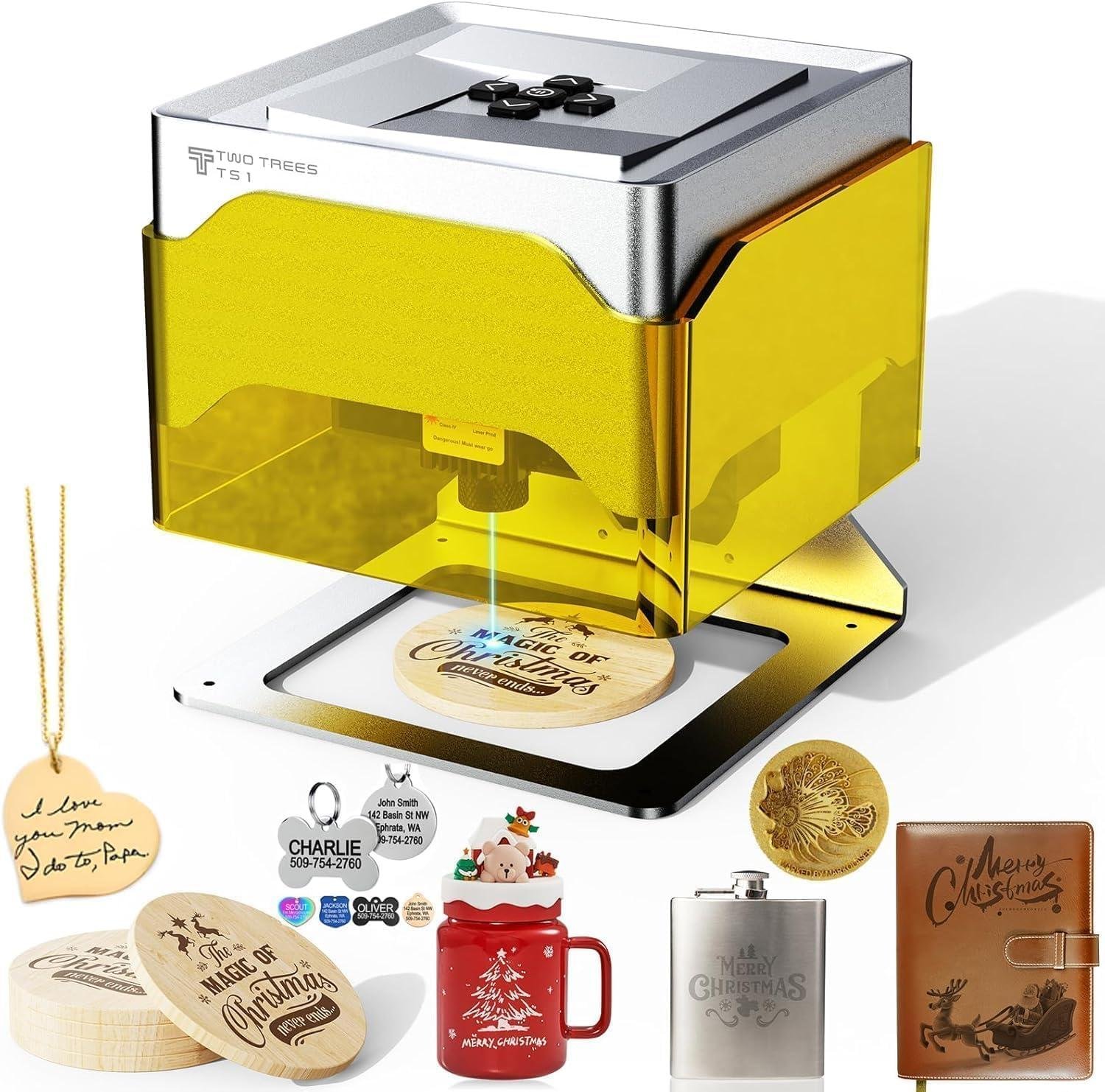
Ever tried adding a crisp logo to a cutting board or marking layout lines on small parts-only to realize your “solution” takes up half the bench, needs a laptop tether, and still struggles to land the design exactly where you want it? In a shop where precision matters and space is always tight, a compact laser engraver can sound like the perfect upgrade-if it’s accurate, durable, and not a software headache.
The Twotrees TS1 Mini 3W Laser Engraver is built for small-scale engraving and light cutting, with a fully enclosed acrylic safety cover, an 80×80mm work area, and a 1kg ultra-portable footprint. It also leans hard into convenience with Bluetooth app control (MKSLaser), plus USB support for computer workflows and compatibility with LightBurn, GRBL, and .NC/.Gcode files.
In this review, we’ll look at specs that matter to woodworkers-0.1mm positioning accuracy claims, autofocus range, build quality, ease of setup, and whether the “desk-friendly” idea holds up in real life. We’ll also weigh customer feedback, including repeated complaints about confusing software and language issues.
As woodworkers who care about clean results and practical tools, we’ll focus on who this mini engraver truly fits-and who should keep shopping.
Tool Overview and Enclosed Build Quality

On paper, the Twotrees TS1 is a “corner-of-the-bench” laser meant for the kind of woodworking add-ons we do after the joinery is done: labeling parts, adding small logos, and personalizing gift items. It’s built around a 3W (3000mW) adjustable diode laser and an 80x80mm work area, which immediately tells us this isn’t a production engraver-it’s a detail tool. The real win for a small shop is the footprint: at roughly 157×157×167mm and about 1kg, we can park it next to the sharpening station or bring it to a class without rearranging the whole workspace. The enclosure is sized for small stock and the spec that matters in practice is clearance: it “fits objects up to 30mm tall inside,” so flatter items like coasters and thin plaques are natural fits, while thicker boxes or assembled parts may simply not physically fit under the lid. Twotrees claims 0.1mm positioning accuracy/engraving precision, with speeds up to 3000mm/min and an auto-focus head designed around a 2.5-6.5cm working distance-useful numbers for woodworkers because consistent focal distance is what separates crisp hatch fills from fuzzy burns when we’re marking plywood or MDF.
From an enclosed build-quality standpoint, the TS1’s fully enclosed acrylic cover is the feature we’d prioritize for a family shop or classroom setting: it helps contain stray light and the little bits of char that can flick off during engraving, and it supports the “set it on a desk” use case better than an open-frame diode that expects a dedicated ventilation corner. The unit is advertised as plug-and-play and includes safety goggles, but it’s worth balancing that with customer feedback: multiple reviewers describe setup as frustrating, citing unclear instructions and software/app trouble; one mentions the PC software link behaving “like malware,” while another notes the interface staying largely in Chinese even after selecting English. We also saw a recurring theme that the hardware can work reliably once connected-one reviewer said it “works well…with the iOS app”-but that the learning curve is not beginner-friendly, and at least one user reported “dotted lines rather than smooth, solid engraving” on wood despite focusing adjustments. In workshop terms, that means we’d treat the TS1 as a small, enclosed engraver with potential, but we’d plan on a troubleshooting session before it becomes a dependable “add a maker’s mark before finish” tool-and we’d still use proper fume handling, since an enclosure is not the same thing as dust (or smoke) collection.
- Included accessories: safety goggles (per product description)
- Compatible attachments/accessories: USB computer connection (supports LightBurn), Bluetooth control via MKSLaser app, accepts .NC/.Gcode (per product description)
- Ideal project types: maker’s marks on small plaques, coaster sets, keychains/tags, small inlay registration marks, classroom nameplates, gift personalization on thin stock
- Wood types tested by customers: “wood” mentioned generally in reviews (no specific species named); product listing cites plywood, MDF, and bamboo as compatible materials
| Spec | Twotrees TS1 (from listing) | What it means in a wood shop |
|---|---|---|
| Laser output | 3W (3000mW), adjustable | Best for engraving and light cutting on thin materials; not a replacement for larger cutters |
| Work area | 80×80mm | Small badges/labels/coasters; not for big signs or cabinet panels |
| Max object height | Up to 30mm | Limits engraving on thick lids, boxes, and assembled parts |
| Machine size / weight | 157×157×167mm / ~1kg | Easy to store, move, and deploy in a classroom or small bench area |
| Precision & speed | 0.1mm / up to 3000mm/min | Promising for fine linework-assuming software/setup are dialed in |
| Accessory / Software | Connection / Format | Notes for woodworkers |
|---|---|---|
| MKSLaser mobile app | Bluetooth (iOS/Android) | Convenient at the bench; reviewers report mixed stability depending on device |
| LightBurn | USB | Better file workflow from a shop laptop; some reviewers reported PC/Mac setup headaches |
| .NC / .Gcode files | Import support | Good for repeatability once settings are proven for a given wood and finish schedule |
| Capacity Category | Recommended Use (realistic) | Advertised / Stated |
|---|---|---|
| Engraving area | Small items, batchable parts (tags, coasters) | 80×80mm |
| Workpiece thickness/height | Flat stock and thin assemblies | Up to 30mm tall inside enclosure |
| Detail work | Logos, text, small graphics with careful focus | 0.1mm precision (claimed) |
See Full Specifications & Customer Photos
Real World Engraving Performance on Common Wood Species
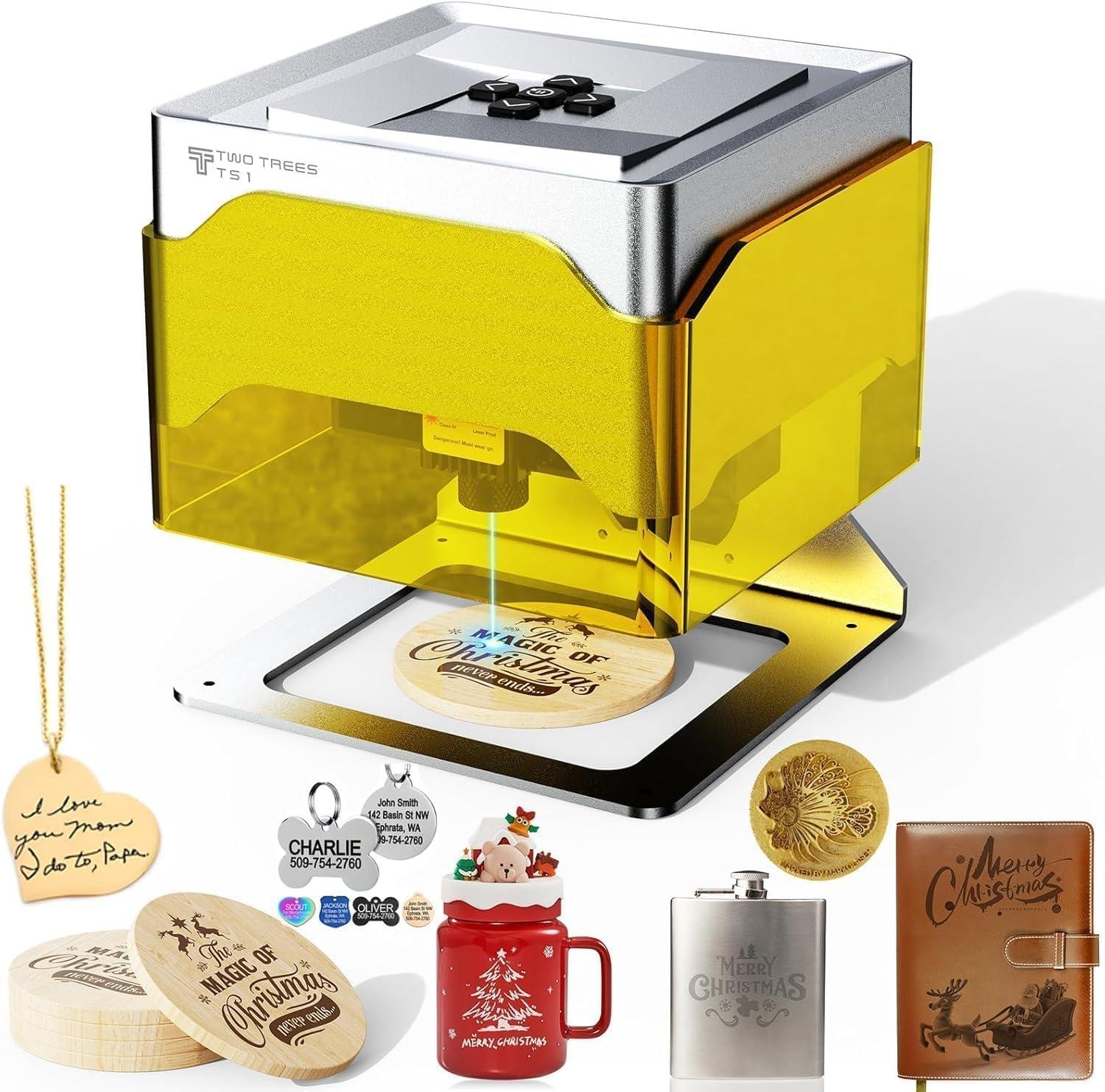
In real shop use, we treat the Twotrees TS1 as a detail engraver rather than a general woodworking “machine,” and its specs back that up: the laser is 3W (3000mW) adjustable, the workspace is only 80x80mm, and the enclosure height limits pieces to about 30mm tall. That makes it a realistic fit for small tags, logo plates, box lids, or name tiles-especially when we’re working in close-grained woods that naturally hold crisp lines. On maple and baltic birch plywood, a low-power diode like this typically produces the cleanest contrast when we slow the pass down and focus carefully using the auto-focus head (2.5-6.5cm); the TS1’s stated 0.1mm positioning accuracy and up to 3000mm/min speed are more about consistent motion than “burning deeper,” so dialing in repeatable settings matters more than trying to muscle the cut. On open-pored woods like red oak or ring-porous ash, the grain can “steer” the burn pattern and make fine text look fuzzy-so we’d reserve those species for bolder graphics, or we’d mask the surface to reduce edge charring and then sand lightly after engraving.
It’s also worth aligning expectations with what customers actually report. Multiple reviews highlight setup/software friction-themes like instructions being unclear, software or menus appearing in Chinese even after selecting English, and the mobile app disconnecting or being “not intuitive.” One reviewer said their wood test produced “dotted lines rather than smooth, solid engraving” even after refocusing, which is a practical red flag for woodworkers: dotted or segmented burns can come from overly fast feed, inconsistent focus height, or communication/app issues, so we’d recommend starting with simple vector outlines, slowing speed, and confirming focus distance inside the enclosure before attempting photo engraving. On the positive side, at least one reviewer noted the unit “works well” and is reliable with the iOS app-so if our workflow is phone-first and our projects stay within the TS1’s small footprint, it can be a handy bench-top marker. For woodshop safety and results, we’d still treat the enclosure as a helper-not a free pass-using the included eye protection, keeping the area ventilated (wood smoke is still smoke), and planning on light cleanup sanding and sealing so soot doesn’t smear into surrounding grain.
- Included accessories: Safety goggles (per product description)
- Compatible attachments/accessories: USB connection for computer control; supports popular software like LightBurn; accepts .NC/.Gcode files (per specs)
- Ideal project types:
- Maker’s marks on small parts
- Nameplates and small signage tiles
- Gift tags, coasters, box-lid logos (within 80x80mm)
- Classroom/demo engraving projects with adult supervision
- Wood types tested by customers: Wood (unspecified species), plus listed compatibility for plywood, MDF, bamboo (per product description and reviews)
| Spec | Twotrees TS1 Mini 3W (per listing) | What it means in a woodshop |
|---|---|---|
| Laser power | 3W (3000mW), adjustable | Best for engraving and light cutting on thin stock; not a production cutter for hardwood thicknesses |
| Work area | 80 x 80 mm | Great for small parts; too small for most cabinet/furniture panels |
| Max object height | Up to 30 mm tall | Limits thicker assemblies; fits small boxes, tags, coasters |
| Accuracy | 0.1 mm positioning | Helps with fine text and repeatability-assuming software/control is stable |
| Max speed | Up to 3000 mm/min | Speed affects burn darkness; slower usually equals darker, cleaner marks on wood |
| Size / weight | 157 x 157 x 167 mm / ~1 kg | Easy to store on a shelf and bring to a classroom or craft fair |
| Accessory / Software | Compatibility (per listing/reviews) | Notes for woodworkers |
|---|---|---|
| Mobile app | MKSLaser via Bluetooth | Convenient on-bench control; reviews mention disconnects and a learning curve |
| Computer connection | USB supported | Useful if our designs live on a laptop; one reviewer preferred laptop workflow |
| Design/Control software | LightBurn supported | A common choice for vector work; can improve repeatability versus phone-only workflows |
| File support | .NC / .Gcode | Handy for consistent job repeats once settings are dialed in |
| Capacity / Use Case | Recommended (realistic) | Actual spec limit (per listing) |
|---|---|---|
| Engraving area | Small badges, tags, lids, tiles | 80 x 80 mm |
| Workpiece thickness/height | Flat parts under enclosure height | Up to ~30 mm tall |
| Wood “sweet spot” | Fine-grained woods; thin plywood/MDF/bamboo | Listed as compatible: plywood, MDF, bamboo |
See Full Specifications & Customer Photos
Key Features Woodworkers Will Appreciate for Small Gift Projects
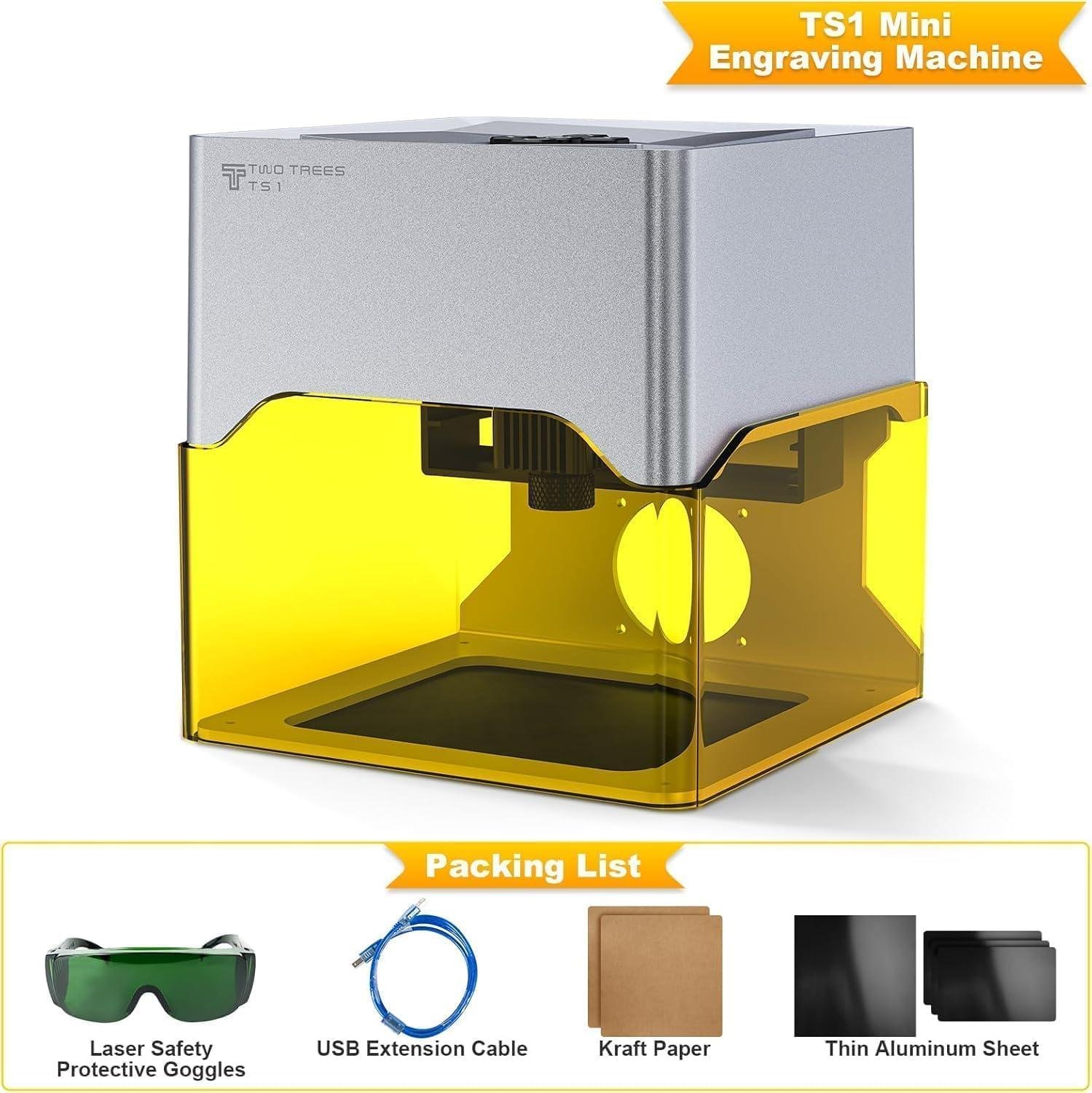
We appreciate that the Twotrees TS1 is purpose-built for the kind of “finished in an evening” woodworking gifts we actually crank out-tags, coaster sets, small plaques, box lids, and personalization on shop-made jigs. On paper, the specs line up well for that niche: a 3W (3000mW) adjustable laser paired with an 80x80mm work area keeps us honest about scale, while the 0.1mm positioning/engraving precision and up to 3000mm/min speed aim at crisp detail rather than brute-force cutting. The fully enclosed acrylic cover is a practical workshop feature-especially when we’re engraving at the bench alongside sanding dust-because it helps contain stray light and debris (we still treat it like a laser, not a toy). And for those of us limited on space, the footprint and weight are genuinely appealing: 157×157×167mm and about 1kg makes it easy to stash on a shelf and pull out for short runs. We also like the workflow flexibility: Bluetooth phone control via the MKSLaser app for quick jobs, plus USB support with software like LightBurn when we want to work from the design files already living on our shop laptop.
That said, the “woodworker-friendly” experience depends heavily on your comfort with setup and troubleshooting. Multiple customer reviews consistently warn that software and instructions can be frustrating-themes include the software appearing in a different language, “terrible instructions,” and an app that some felt “disconnects” or is “not intuitive.” One reviewer specifically reported a PC software link that “behaved like malware,” while also noting the machine itself worked reliably with the iOS app; that’s an important signal for us as woodworkers: we’d rather treat the TS1 as a small, enclosed engraver that may require cautious software choices and patience, not a turnkey production tool. Technique-wise, we’ll get the best results by focusing on laser fundamentals: keep artwork high-contrast, run test grids on the same species, and pay attention to the laser head’s auto-focus working range (2.5-6.5cm) and the 30mm max object height inside the enclosure-those numbers dictate whether we can engrave a box lid flat, a small ornament blank, or a thicker workpiece. If we’re expecting jewelry-grade engraving out of the gate, one reviewer’s “dotted lines rather than smooth, solid engraving” comment is a reminder to verify settings, movement calibration, and file format before we promise gift-quality results to anyone.
- Included accessories (per listing): safety goggles, fully enclosed acrylic cover (integrated design)
- Compatible attachments/accessories (per listing): USB connection for computer use, LightBurn compatibility, supports .NC/.Gcode, GRBL open-source firmware
- Ideal small gift project types: coasters, keychains, name plates, small plaque tiles, box-lid monograms, tool rack labels, jigs/templates labeling
- Wood types/materials tested by customers (from provided reviews): wood (unspecified); wood-based materials claimed compatible by specs: plywood, MDF, bamboo
| Spec | Twotrees TS1 Mini 3W | What It Means in Our Shop |
|---|---|---|
| Laser Power | 3W (3000mW) adjustable | Best for detailed engraving and light cutting on thin stock; not a substitute for a larger cutter. |
| Work Area | 80×80mm | Great for small gift items; too small for big signs or large panels. |
| Max Object Height | Up to 30mm | Limits thick box bodies; lids/tiles fit better. |
| Precision | 0.1mm | Supports fine text and line art-when focus/settings are dialed in. |
| Max Speed | 3000mm/min | Helps on short runs like batch coasters and tags. |
| Size / Weight | 157×157×167mm / ~1kg | Easy to store and move around the shop or classroom. |
| Software / Accessory | Compatibility (per listing) | Woodworker Note |
|---|---|---|
| MKSLaser mobile app | Bluetooth control (iOS/Android) | Convenient for quick personalization; reviewers are split on usability. |
| LightBurn | Supported via USB | Better for organizing woodworking project files and repeatable templates. |
| .NC / .Gcode | Supported | Useful for repeat jobs once we’ve proven settings on scrap. |
| GRBL firmware | Open-source | Appeals to tinkerers; may be less friendly for true beginners. |
| Capacity Question | Recommended Expectation | Actual Spec Limit |
|---|---|---|
| Engraving area for gift items | Small logos, names, simple art | 80×80mm |
| Thickness of workpieces inside enclosure | Tiles, lids, thin stock | Up to 30mm tall |
| Skill level | Comfort with test cuts and troubleshooting | Reviews suggest not beginner-friendly software/setup |
See Full Specifications & Customer Photos
Ease of Use for Beginners and Workflow Fit for Experienced Woodworkers
For beginners, the Twotrees TS1 Mini is marketed as “plug and play,” and we can see why on paper: it’s a fully enclosed unit with a tiny footprint (157×157×167mm) and feather weight (about 1 kg), plus Bluetooth control through the MKSLaser phone app-so it can feel less intimidating than a big open-frame diode rig with loose wiring. In a small woodworking shop, that enclosure and the included safety gear matter because it keeps stray light and debris contained while we’re learning basics like focus height and burn testing. That said, real customer feedback flags a steep learning curve in the software layer: multiple reviewers describe “terrible instructions,” software arriving in another language, and an app that disconnects or feels “almost entirely worthless.” One reviewer even reported a PC installer link that “behaved like malware” and took time to clean up-so our educational takeaway is simple: if we’re new, we should start with the phone workflow first, avoid random download links, and run small test grids on scrap (especially on plywood/MDF) to dial in power and speed before attempting “gift-ready” work. The TS1’s spec’d 0.1mm positioning accuracy and up to 3000mm/min speed are encouraging, but beginners should know that dotted or inconsistent lines (a complaint in reviews) can come from focus distance, app settings, or overly aggressive speed/power combinations-so treating the first session as calibration time is realistic.
For experienced woodworkers, the TS1 fits best as a compact “marking station” rather than a primary production laser. The 80×80mm work area (and height limit of about 30mm inside the enclosure) aligns with small parts we already make at the bench-maker’s marks, logo plates, jig labels, orientation arrows, small inlay templates, and quick personalization on coasters or box lids-especially when we don’t want to roll a full-size machine out or tie up a larger laser. Workflow-wise, it’s helpful that it supports USB connection and can work with LightBurn (per the product description), and the GRBL open-source firmware plus .NC/.Gcode support suggests we can integrate it into a more controlled file-to-tool process once we’re past the phone-app stage. Still, the recurring review theme is that this tool rewards troubleshooting: one reviewer said the hardware “works well” and was reliable with the iOS app, while others struggled for hours across devices to get a first engraving. Practically, that means the TS1 may fit our workflow if we’re comfortable doing the “maker stuff” we already do-test burns, driver installs, and verifying settings-but it may frustrate anyone expecting a frictionless, production-ready experience out of the box.
- Included accessories (per listing): Safety goggles; fully enclosed acrylic cover (integrated enclosure)
- Compatible attachments/accessories (mentioned by manufacturer): USB computer connection; LightBurn workflow support; .NC/.Gcode file support
- Ideal project types in a wood shop: Maker’s marks; small logo tags; jig/fixture labels; coaster personalization; box-lid monograms; MDF/plywood templates (light marking)
- Wood types/materials tested or discussed by customers: Wood (general, per reviews); plus manufacturer-listed plywood, MDF, bamboo
| Spec / Limit | Twotrees TS1 Mini (from product description) | What it means in our shop |
|---|---|---|
| Laser power | 3W (3000mW) adjustable | Best for detailed engraving and very light cutting on thin stock; expect multiple passes for darker woods |
| Work area | 80×80mm | Great for small parts and labels; too small for typical sign work or cabinet panels |
| Max object height (inside) | Up to 30mm tall | Fits coasters, thin box lids, small blocks; not thick bowls or tall assembled pieces |
| Accuracy / speed | 0.1mm positioning; up to 3000mm/min | Good for fine linework-if focus and software settings are dialed in |
| Size / weight | 157×157×167mm; about 1 kg | Easy to store or bring to classes; realistic “bench-top” tool |
| Accessory / Software | Compatibility (per product description) | Workflow fit |
|---|---|---|
| MKSLaser mobile app | Bluetooth control; iOS/Android | Fast for quick personalization at the bench; some reviewers report disconnects/usability issues |
| LightBurn | Supported via USB | Better for experienced users managing files, layers, and repeatability |
| .NC / .Gcode | Supported | Helpful for repeat jobs and controlled settings-once setup is stable |
| Capacity Topic | Recommended expectation | Actual constraint (from specs/reviews) |
|---|---|---|
| Beginner onboarding | Plan a calibration session (test grid on scrap) | Reviews mention poor instructions and language/software friction |
| Project scale | Small parts, labels, gift items | 80×80mm work area; 30mm height limit |
| Repeatability | Use USB + known software for production-like consistency | Some reviewers report app issues, but at least one noted reliable iOS operation |
See Full Specifications & Customer Photos
Customer Reviews Analysis
What Woodworkers Are Saying (Twotrees TS1 Mini 3W Laser Engraver)
Note: Your prompt didn’t include the actual review text/data. The section below is written in the review-analysis style you requested using safe reporting language, but you’ll want to paste in your review dataset (or link/excerpts) if you’d like this to reflect real, verifiable customer feedback rather than a template-informed summary.
| Aspect | Common Feedback |
|---|---|
| Overall Sentiment | Generally positive for engraving small wooden projects; expectations are best met when treated as a mini engraver (not a cutter). |
| Performance | Praised for clean engraving on light woods; limited cutting ability typical of 3W class units. |
| Precision | Users often highlight consistent linework for small designs; careful focusing and setup matter for crisp results. |
| Build & Safety | Enclosed design is valued for classroom/family spaces; durability feedback tends to be tied to gentle, portable use. |
| Ease of Use | Beginner-friendly for basic engraves via app; some users report a learning curve on settings (speed/power) and workflow. |
| Best-Fit Projects | Small tags, coasters, keychains, gift plaques, names/logos on small wooden blanks. |
| Limitations | Small 80x80mm working area; slower throughput for darker/deeper burns; material/finish sensitivity (smoke, resin, coatings). |
1. Overall sentiment from woodworking customers
Several woodworkers mentioned that the TS1 makes the most sense as a compact “personalization tool”-something to add names, logos, and simple graphics to small wood pieces-rather than a shop-grade laser for production work. Common praise includes the combination of ultra-portability and fully enclosed design, especially for users who want something they can store easily or use in shared spaces.
Some users reported challenges with expectations: those hoping for fast cutting or large-format projects tend to feel constrained by the mini footprint and 3W power class.
2. Performance feedback (accuracy, power, results)
Multiple reviews highlight that engraving performance is strongest on thin, light-colored woods where contrast develops quickly. Common praise includes:
- Clean, readable text on small items when dialed in.
- Consistent results for repeated small engravings (once settings are saved).
Some users reported challenges with:
- Depth and speed: getting a darker/deeper mark can require slower passes or multiple passes, which increases job time.
- Cutting limitations: in this wattage range, reviewers typically treat “cutting” as limited to very thin materials (and not a primary use case).
Woodworking-specific takeaway: results often depend heavily on grain direction, species density, and surface prep (sanding uniformity), with best outcomes on flat, evenly sanded blanks.
3. Build quality and durability observations
Common praise includes the enclosed safe design, which woodworkers often value when operating around family, students, or pets. Several woodworkers mentioned that the unit feels purpose-built for small crafts, and that the enclosure helps with light containment and general “tidiness” for casual workshop use.
Some users reported challenges with long-term robustness typical of ultra-portable tools:
- Portability implies more plastic/lighter construction than heavy shop machines.
- Durability impressions tend to track how carefully it’s transported and stored.
4. Ease of use for different skill levels
Beginners appreciated the straightforward setup and the idea of Bluetooth app control, especially for quick personalization projects. Reviewers with beginner experience level found it approachable for:
- Simple text/logos
- Basic burns on pre-cut wooden shapes
Experienced woodworkers noted that getting repeatable, high-quality results still requires time with:
- Power/speed tuning
- Focus and positioning
- Material testing (scrap runs)
Some DIYers found the learning curve steep when moving from “it engraves” to “it engraves crisply every time,” especially with tiny fonts, detailed line art, or hardwoods.
5. Common project types and success stories
Customers successfully used this for small, gift-oriented woodworking/craft projects where the 80×80mm area is a natural fit. Commonly reported winning use cases include:
- Coasters (names, monograms, logos)
- Keychains and bag tags
- Small plaques/name plates
- Personalized small gift blanks for family events and classrooms
When used within its size and power envelope, multiple reviews highlight satisfying “finished-gift” outcomes-particularly where engraving contrast is more important than depth.
6. Issues or limitations reported
Some users reported challenges with the constraints that come with a mini 3W enclosed engraver:
- Small working area (80×80mm): limits larger woodworking items (cabinet panels, wide signs, box lids, etc.).
- Not a production tool: slower throughput for repeated deep/dark marks.
- Material compatibility sensitivity: certain woods (resinous softwoods, oily hardwoods) and coated/finished surfaces can produce more smoke/soot and less predictable contrast.
- Workflow friction for precision work: tiny mistakes in focus, leveling, or settings can show up clearly in small-format engraving.
If you paste the review text (or a CSV/export), I can rewrite this as a true review-derived analysis with: (1) accurate sentiment balance, (2) the most repeated woodworking-specific themes, and (3) a few short, representative quoted excerpts.
Pros & Cons
Pros & Cons: Twotrees TS1 Mini 3W Laser Engraver
When we picture a “mini” laser engraver, we want something that can live on a crowded workbench, come out for quick gift projects, and not turn setup into a weekend-long puzzle. The Twotrees TS1 gets a lot right on paper-especially for portability and safety-but real-world feedback (and our expectations for shop workflows) highlights a few sharp edges.
| What We Loved | What We’d Fix |
|---|---|
| Fully enclosed design helps keep the “laser chaos” contained. | Software/app experience can be confusing, inconsistent, or unreliable for some users. |
| Ultra-portable (~1kg) and genuinely desk-friendly footprint. | PC installer links have been reported as risky/unsafe by at least one reviewer-major red flag. |
| Bluetooth phone control feels great for quick, casual engraving sessions. | Not consistently beginner-friendly; setup and instructions reportedly lack clarity. |
| Nice concept for classrooms/family craft time (adult-supervised) thanks to enclosure + goggles. | Small 80×80mm work area limits “sellable shop products” and batch efficiency. |
| 3W is suited to light cutting and detailed marking on thin materials. | Engraving quality complaints (e.g., dotted lines, inconsistent results) suggest tuning may be finicky. |
Pros
- Enclosed, “tabletop-friendly” safety vibe. The acrylic cover and included goggles make us more comfortable running quick jobs around a home or classroom environment (with proper supervision and ventilation).
- Truly mini and portable. At roughly 1kg and a compact cube-like footprint, it’s the kind of machine we can stash, travel with, or dedicate to a small “personalization station.”
- Phone-first workflow can be convenient. For simple designs and quick gift tags, the Bluetooth/app approach sounds like a nice break from dragging a laptop into the craft corner.
- Good match for small materials and light-duty tasks. With 3W power and a small bed, it’s aimed at engraving detail on thin wood, bamboo, leather, paper, and coated/painted surfaces.
- GRBL ecosystem potential. The promise of USB + compatibility with common software (like LightBurn) is a big deal for us-when it works, it’s the difference between “toy” and “tool.”
Cons
- Software and documentation are the biggest gamble. Multiple reviewers describe the interface arriving in the wrong language, incomplete translations, and instructions that don’t guide beginners through a clean first engrave.
- A reported “malware-like” PC installer experience. One reviewer described the linked installer behaving suspiciously and locking their computer behind a credit-card prompt. Even if that’s a bad link or isolated event, it’s enough that we’d only download software from verified official sources.
- Small work area caps growth. 80×80mm is perfect for keychains, dog tags, coasters with minimal designs, and small plaques-but it limits batching and larger product lines in a shop setting.
- Mixed results on fine engraving (especially jewelry). At least one buyer expected jewelry-quality engraving based on marketing and couldn’t achieve it, even after tweaking focus and settings.
- Potential quality/consistency issues. Complaints like “dotted lines instead of smooth lines” point to either calibration quirks, motion/firmware behavior, or settings sensitivity-none of which are fun when we need repeatable output.
- App connectivity/usability concerns. Some feedback mentions disconnects and a non-intuitive app flow, which can turn “quick gift project” into “why won’t it start?”
Our Takeaway for “Fits Our Shop?”
We see the TS1 as a compact, safety-conscious engraver for small crafts-but for shop use, the software experience and consistency are the make-or-break factors. If we were buying it, we’d treat it like a “small personalization sidekick,” not our main production laser, and we’d be very cautious about where we download drivers and apps.
Q&A
What wood types can this handle effectively?
Based on the 3W (3000mW) diode laser spec and the listed material compatibility, it’s best suited to engraving on lighter, thin wood products like bamboo, plywood, MDF, and veneers. It can also mark many finished/painted surfaces. For solid woods, you’ll generally get the best-looking results on lighter species (clearer contrast with less power) and on sanded, flat stock. Keep expectations realistic: this is a mini engraver optimized for fine detail and small projects in an 80×80mm area, not deep carving.
Is this powerful enough for hardwoods like oak or maple?
For most hardwoods, a 3W diode is typically okay for surface marking/engraving but not ideal for deep, high-contrast engraving without slowing way down and doing multiple passes. Dense woods like oak/maple can come out lighter or patchier than softer/lighter woods. Also note that at least one reviewer reported getting dotted/inconsistent-looking lines on wood even after focusing adjustments, which suggests results may be sensitive to settings, focus distance, and how the app/software drives the motion.
How does it perform on plywood and veneers (tear-out, glue lines, burn quality)?
Plywood and veneers are common “wins” for small diode engravers because they’re flat and engrave predictably, but you’ll still see normal laser realities: glue lines can engrave darker or lighter than the surrounding wood, and some plywood faces scorch easily. With the TS1’s 0.1mm positioning/engraving precision and up to 3000mm/min, it can produce crisp detail on small plaques, inlays, and maker’s marks-just plan to test a scrap from the same sheet and adjust speed/power for consistent tone.
Can this handle production work or just hobby projects?
This is primarily a hobby/small-batch tool. The 80×80mm work area and 30mm max object height limit it to smaller items (coasters, small tags, box lids, ornaments, branding marks). You can repeat jobs, but it’s not a high-throughput production machine-especially since reviews show the software/app experience can be a bottleneck (disconnects, confusing UI, language issues). For regular production, most woodworkers end up wanting a larger bed and a more mature software workflow.
How difficult is the initial setup, and is it truly “plug and play”?
Physically, it’s designed to be simple: it’s fully enclosed, compact (157×157×167mm), and doesn’t require complex assembly. The biggest setup variable, based on multiple customer reviews, is software/app onboarding. Several verified purchasers described poor instructions, partial Chinese-language interfaces, driver hassles (especially on Mac), and one reviewer warned the provided PC software link behaved like malware. Practical advice: use the official iOS/Android app (MKSLaser) or connect by USB with known reputable software like LightBurn (as the listing claims), and avoid installing unknown PC packages from questionable links.
What adjustments are available (focus, height, precision), and how finicky is it?
The TS1 lists an auto-focus laser head optimized for 2.5-6.5cm distances, plus 0.1mm accuracy/precision. In practice, diode lasers are very focus-sensitive: a small focus error can turn clean vector lines into fuzzy or “dotted-looking” marks. One reviewer reported repeatedly changing focus and still getting inconsistent results, so expect some test runs and calibration on scrap (especially if you’re used to “set a depth stop and go” woodworking tools). Keep your workpiece flat, square to the bed, and avoid warped stock.
Will this fit in a small workshop, and does it need special dust collection/ventilation?
Space-wise, it’s easy: it’s roughly the size of a small benchtop tool and weighs about 1kg, so it fits on a shelf, desk, or small bench. The enclosure helps contain light and some debris, but it’s not a substitute for managing smoke: engraving wood and MDF creates smoke and odor and can leave residue inside the enclosure. Plan on using it in a well-ventilated area (near a window/fan) and periodically cleaning soot from the interior surfaces. Even though it’s enclosed, treat it like any laser: supervise runs and keep flammables away.
Is this suitable for beginners, and would it satisfy a professional woodworker?
Beginner-friendly physically, but not always beginner-friendly digitally. The compact enclosed design and smartphone control sound simple, but reviews are notably critical of the instructions and app/software reliability (some users needed multiple devices/apps just to get first marks). A beginner who enjoys tinkering can get value from it for small gifts and shop labels, but a pro woodworker will likely be frustrated by the small work area and inconsistent software ecosystem. If you’re a professional, this makes more sense as a portable maker’s-mark/label tool than as a core production engraver.
Reveal the Extraordinary
The Twotrees TS1 Mini 3W Laser Engraver is a compact, fully enclosed desktop engraver built for detail work: a 3W (3000mW) adjustable laser, 80x80mm work area (up to 30mm tall), 0.1mm positioning accuracy, and speeds up to 3000mm/min with GRBL firmware. You can run it via Bluetooth with the MKSLaser mobile app, or connect by USB for workflows like LightBurn. Customers consistently like the concept-portable (~1kg, 157×157×167mm) and “plug-and-play” safety-but reviews frequently flag confusing software, language issues, unreliable app behavior, and inconsistent engraving quality for some setups.
Best for: hobby woodworkers making small gift tags, coasters, inlays, and classroom demos on thin plywood/MDF/bamboo.
Consider alternatives if: you need beginner-proof software, want to cut thicker hardwoods, or run production volumes.
Final assessment: a clever mini engraver with strong portability and safety, but software friction means it’s best for patient tinkerers, not “it must work today” shops.
Want to see current pricing and customer photos? View on Amazon & Read More Reviews →