
Blog
30000RPM Engraver Pen Review: Right for Our Shop?


Ever tried to add a clean maker’s mark, a name, or a layout line to a finished piece—only to watch your pencil smudge under finish or your stamp land a hair off-center? in a small shop, we don’t always have room (or budget) for specialty machines, but we still want precise, professional-looking details.
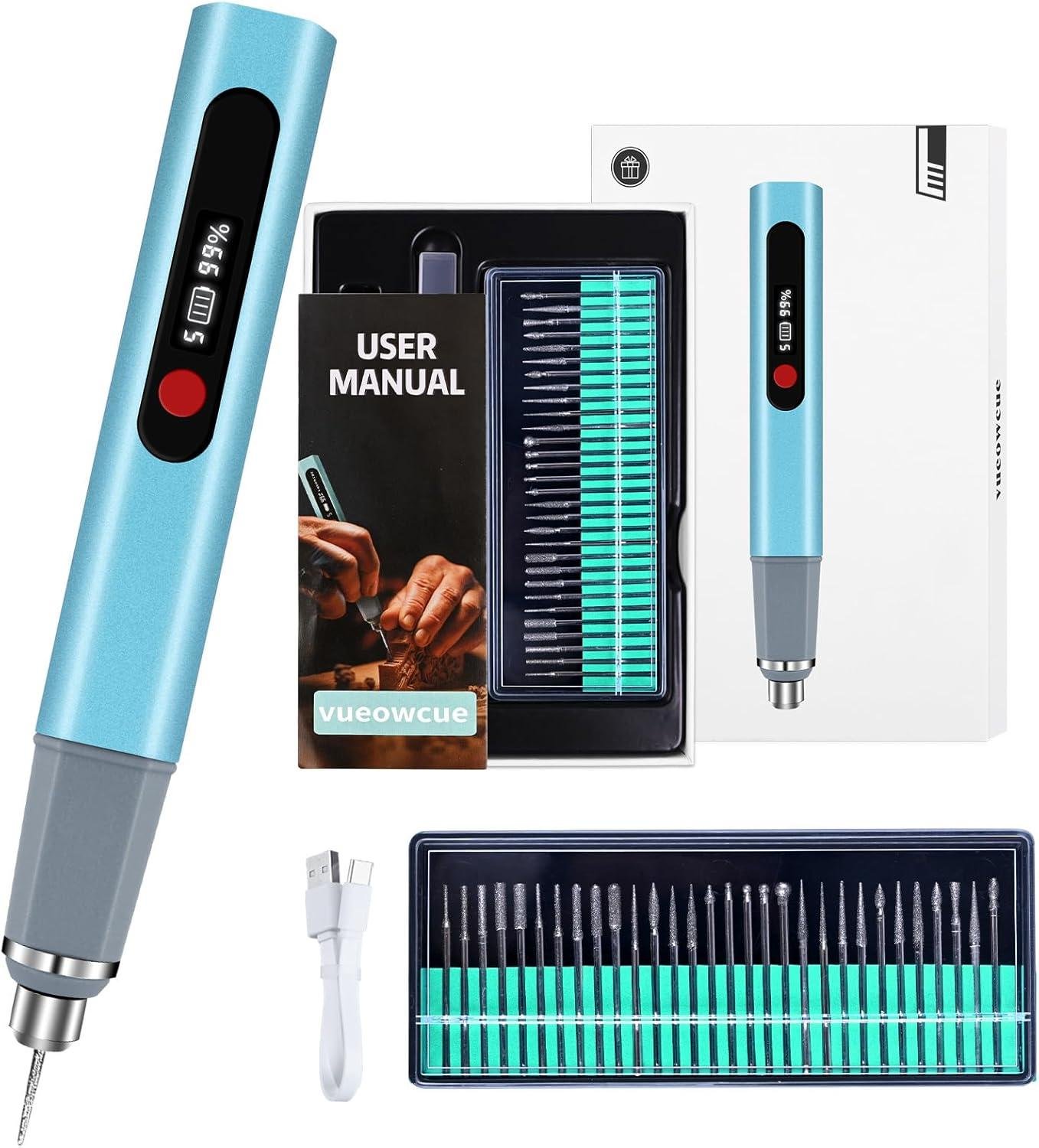
That’s where the Engraving Pen, Upgrade 30000RPM Adjustable Engraver Pen Tool comes in. It’s a cordless, USB‑C rechargeable engraver designed for engraving on wood, metal, glass, plastic, and more, with a 5-level speed adjustment, an LCD screen for speed/battery visibility, and overload protection that shuts the tool off under high resistance. It also includes 30+ bits, stencils, a guide, and a storage case—appealing if we’re trying to balance cost with capability.
In this review, we’ll focus on the features that matter in the shop: control for fine lines, build quality, ease of learning, and value, plus what customers consistently report—many mention it’s easy to use, versatile, and works well on multiple materials, while a few note power or durability concerns.
We’ve spent years around woodworking tools, and we’ll keep this grounded in real shop needs and realistic expectations.
Tool Overview and Build Quality in the Shop
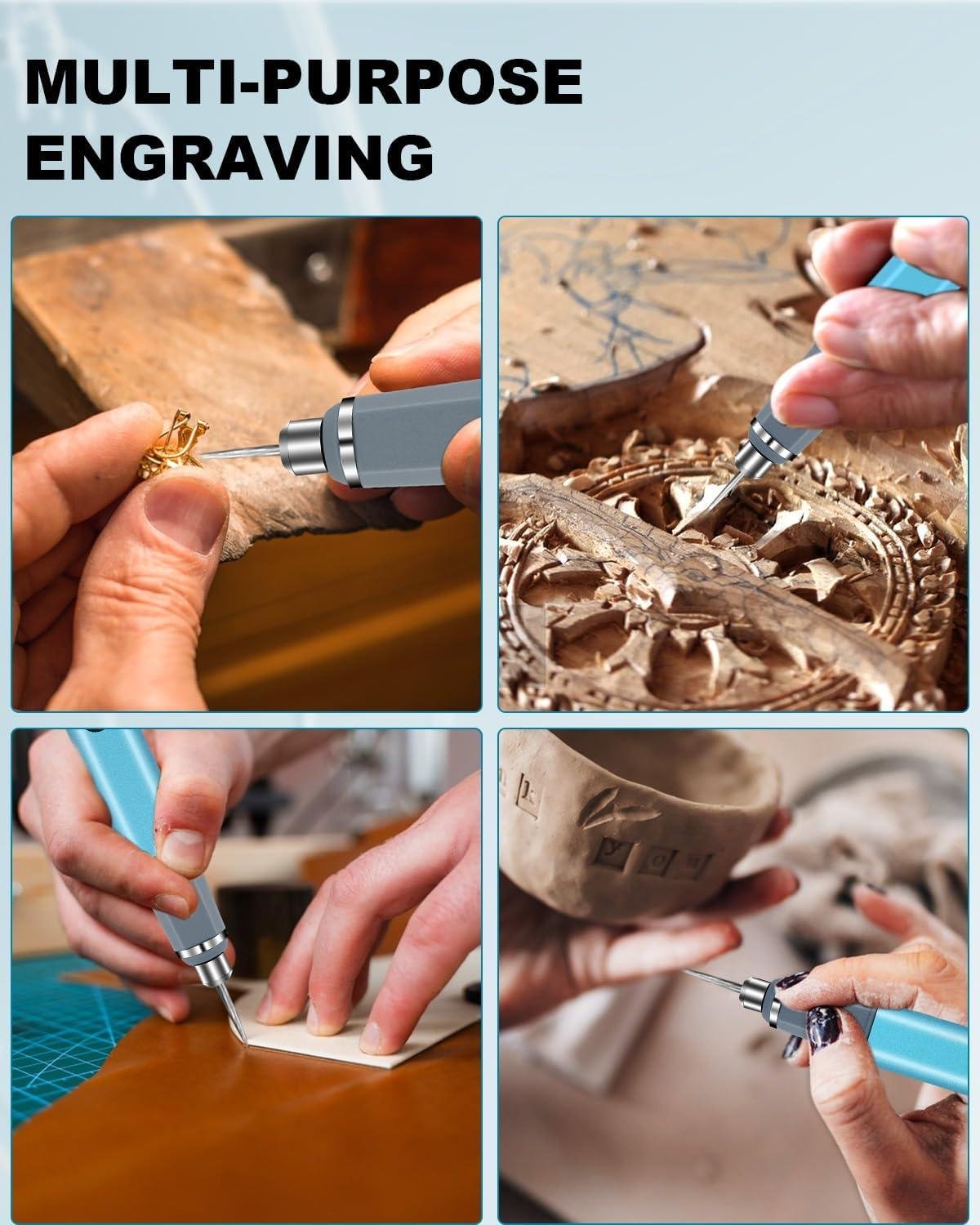
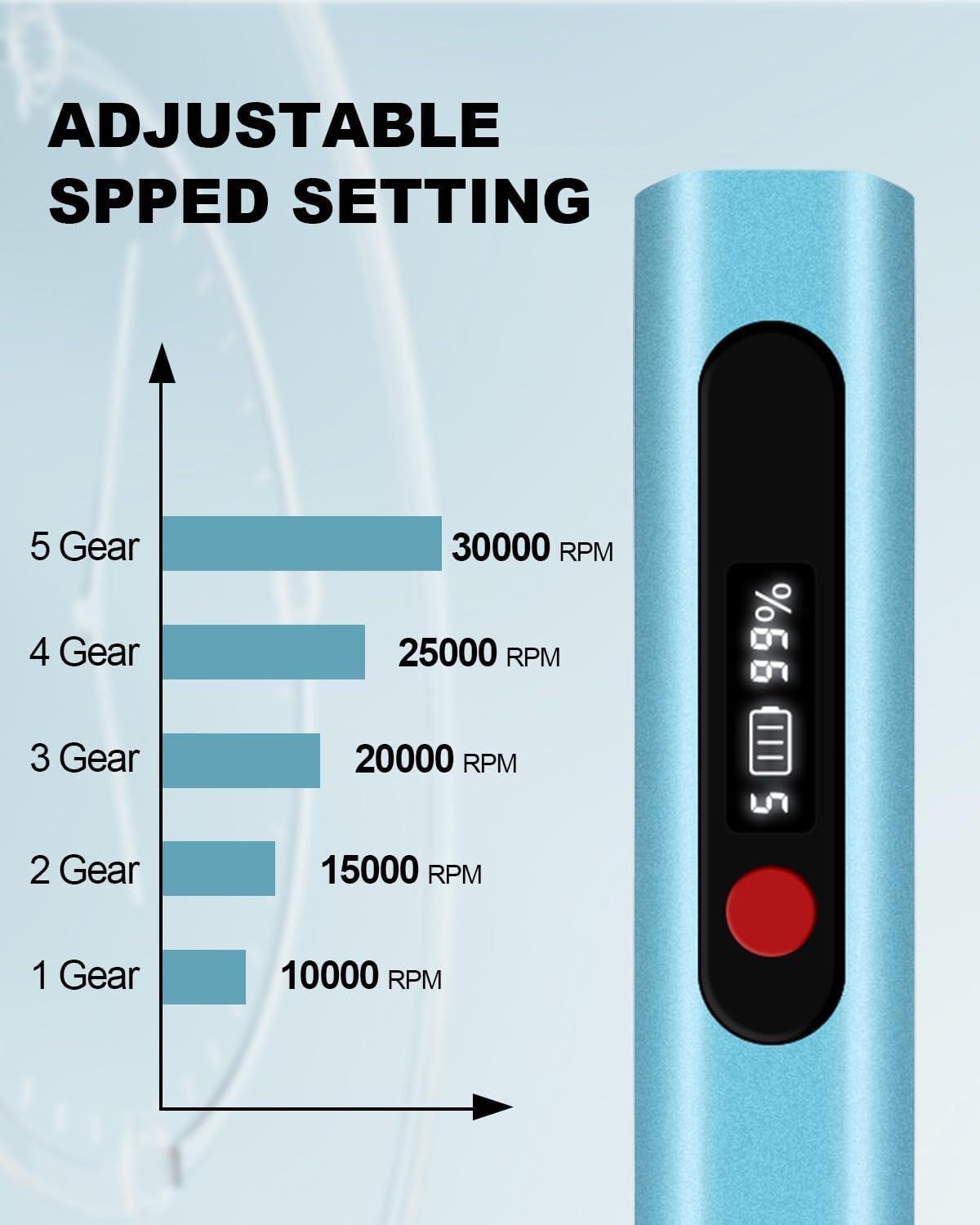
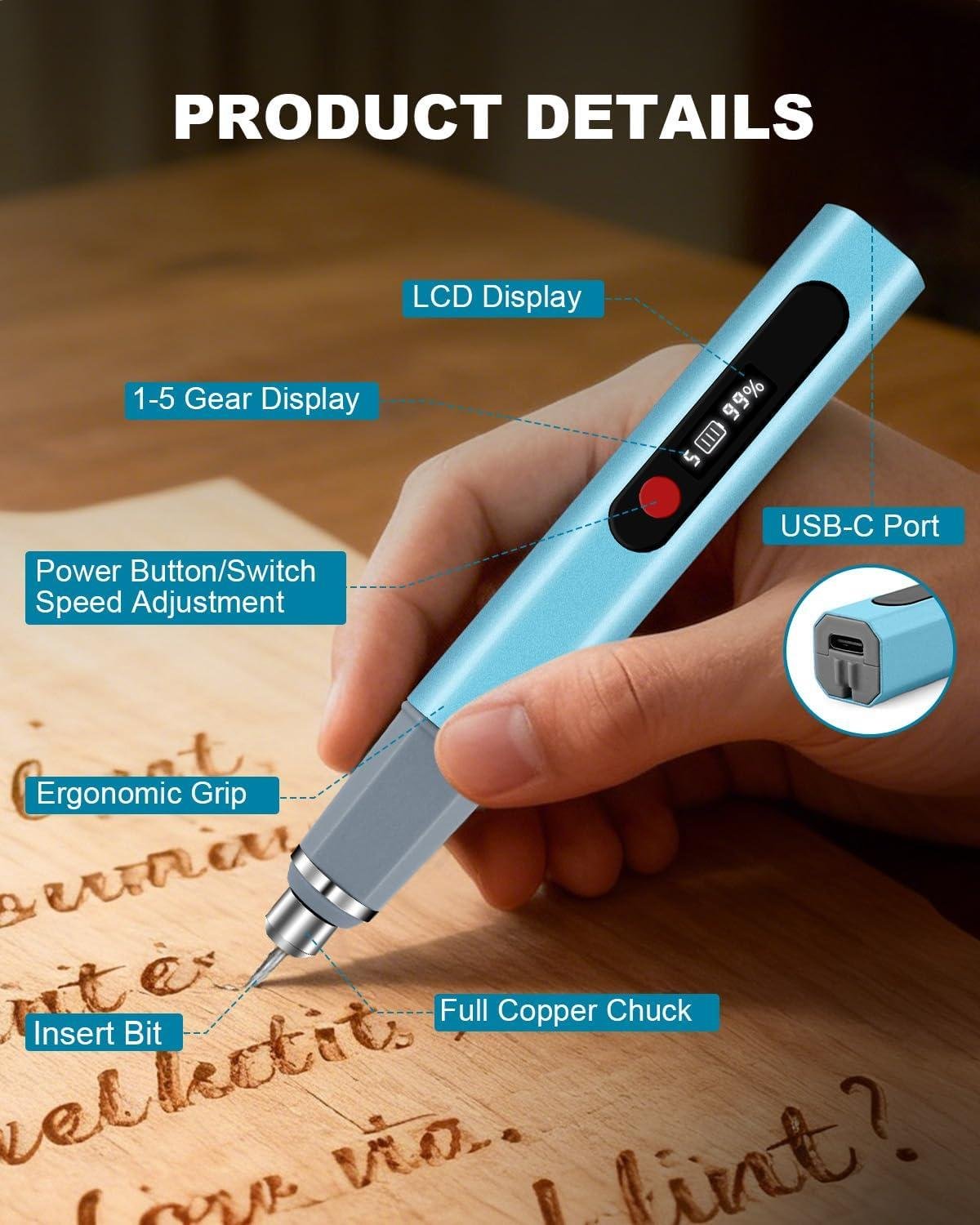
in our shop, this cordless engraver feels less like a “power tool” and more like a marking knife that happens to spin—useful when we need to add names, dates, maker’s marks, or layout references without dragging a cord across a bench. The headline spec is a high-speed motor rated up to 30,000 RPM with 5 adjustable speed levels, and we like that the LCD screen shows both speed setting and battery status so we’re not guessing mid-pass. The kit is also built around portability: the pen itself is listed at 1.5 oz and the full kit at 7 oz,and it charges via USB-C—customers repeatedly mention it being “light,” “great size easy to hold,” and “incredibly easy to use,” which lines up with what we want for controlled,close-in work on small parts and in tight corners.
Build-quality feedback is a bit mixed, and that matters in a woodworking surroundings where tools get bumped, dusty, and used in short bursts all day. On the positive side, reviewers consistently praise “clean, professional-looking results,” “great value for money,” and the convenience of being able to charge/store it “directly in its storage case.” On the cautionary side, a few customers report “motor stops” and describe it as “very cheaply made,” and at least one reviewer felt it “is not strong” for harder materials over longer sessions—so we’d treat it as a fine-detail engraver for personalization rather than a heavy-duty grinder. For wood, the practical takeaway is to let the RPM do the cutting, use a light touch, and make multiple passes, especially on open-pored species (oak/ash) where the grain can pull the tip if we rush. Also,even tho it’s advertised as ultra-quiet (25 dB),we still treat it like any rotary tool: eye protection is non-negotiable—one reviewer explicitly reminds users to “wear safety glasses.”
- Included accessories
- 30+ engraving bits (variety pack)
- Reusable stencils
- Storage/charging case (per customer feedback)
- Instruction/guide
- USB-C charging (cable implied by USB-C rechargeable spec)
- compatible attachments/accessories
- Small rotary engraving/carving bits included in the kit (best match for detailed line work)
- Stencil-guided lettering (included stencils; helpful for consistent maker’s marks)
- Ideal project types
- Signing the underside of shelves, boxes, and jigs (date/initials)
- Personalized gift work on small wooden items (coasters, handles, ornaments)
- Layout reference marks on templates (where pencil wears off)
- Detail accent lines on carvings or inlays (light passes)
- Wood types tested by customers
- wood (unspecified) — multiple reviews mention using it on wood for artwork/pictures
| Spec / Feature | What the listing says | Why it matters in a wood shop |
|---|---|---|
| Max speed | Up to 30,000 RPM | Higher RPM helps cleanly scribe fine lines in wood with lighter pressure. |
| Speed control | 5-level adjustable | Lower settings help reduce burning on softer woods; higher for crisp lines on dense stock. |
| Weight | 1.5 oz pen / 7 oz kit | Light weight improves control for lettering and small signatures. |
| Power | USB-C rechargeable / up to 8 hours claimed | Convenient for bench work and craft fairs; battery level display helps plan sessions. |
| Protection | Overload protection auto power-off | Helps prevent damage if we press too hard or bind the bit in the grain. |
| Noise | 25 dB claimed | Perhaps less fatiguing for detail work,though real-world shop noise can mask differences. |
| Accessory / Bit Type | Included | Best use on wood | Notes |
|---|---|---|---|
| Engraving bits (assorted) | Yes (30+ bits) | Lettering, tracing patterns, maker’s marks | Use light pressure; make multiple passes with the grain when possible. |
| Reusable stencils | Yes | Consistent lettering/logos on repeated parts | Tape stencils firmly; stop and clear dust so lines stay readable. |
| Capacity / Expectation | Recommended (realistic shop use) | Advertised / Reported |
|---|---|---|
| Session length | Short to moderate detail sessions; recharge between batches | Up to 8 hours claimed; some reviewers praise battery life, one reports it “doesn’t last very long” on tougher work |
| Material workload | Best for fine engraving rather than heavy removal | Mixed feedback: many say it “works great,” a few say “not strong enough” / “motor stops” |
See Full Specifications & Customer Photos
Real World Engraving Performance on Hardwood Softwood and Finished Pieces
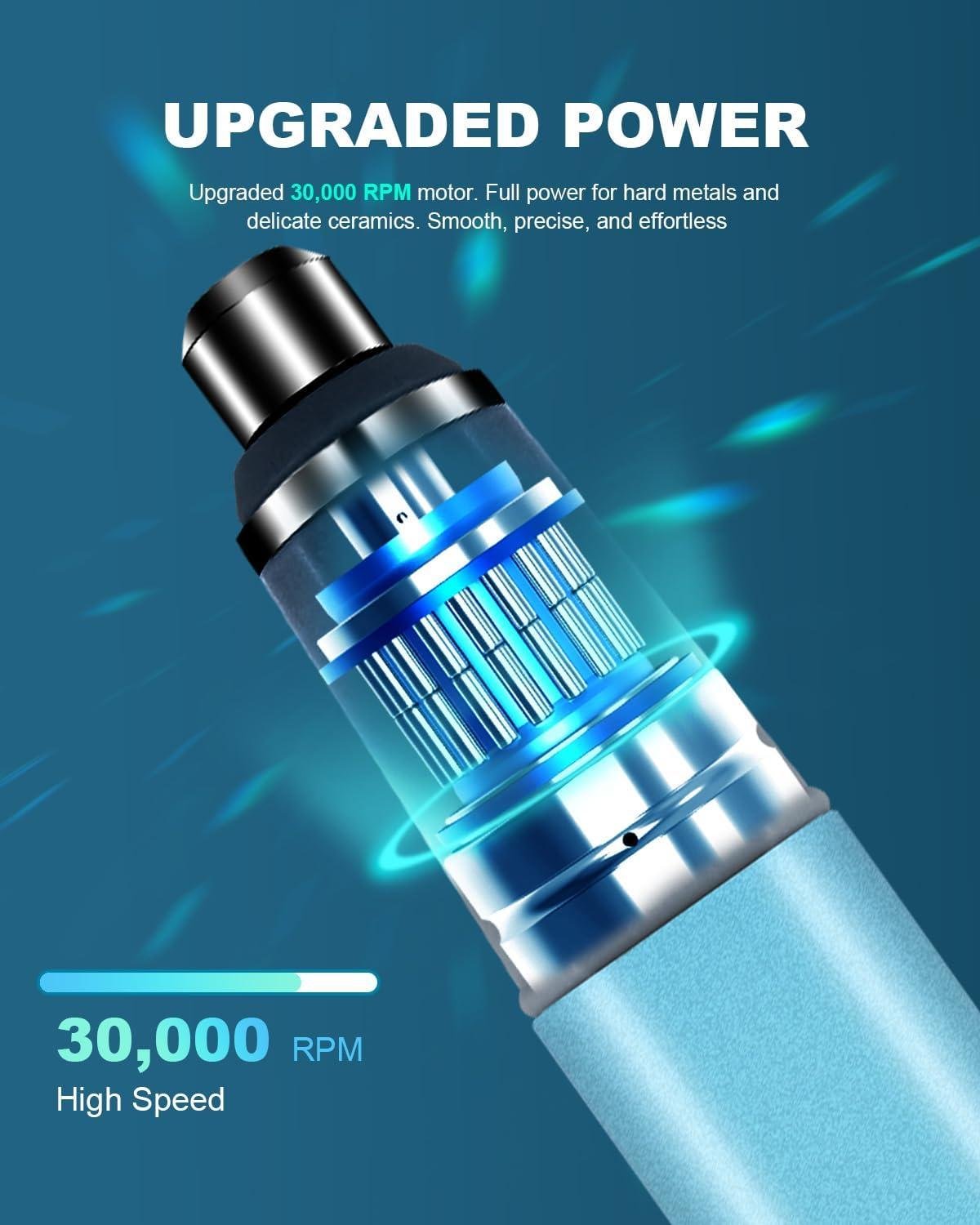
In real shop use, we look at a cordless engraver like this as a detail tool, not a replacement for a trim router, branding iron, or laser. This pen is rated up to 30,000 RPM with 5 speed levels, and that high-speed range is exactly what helps it “write” cleanly on wood fibers—especially when we’re doing light linework like maker’s marks, date/initials, layout labels on jigs, or small decorative borders. On softwoods (pine, SPF, cedar), we’ll typically keep the speed lower and let the bit skim the surface; these species crush and fuzz easily, so a gentle touch and multiple passes beat trying to dig a groove in one go. On hardwoods (maple, oak, walnut), bumping speed up and slowing our hand movement generally gives a clearer line, but we still treat it like engraving—not carving—because the tool’s smart overload protection can shut the motor off when resistance spikes. That matches customer feedback: many say it’s “light, easy and fun to use” and “incredibly easy to control,” while a smaller group reports the motor stops or feels “not powerful enough” for higher-resistance materials.
For finished pieces, the practical reality is that film finishes (poly, lacquer) can chip if we plunge too aggressively, while oils/hardwax finishes can smear if we heat the surface with too much speed in one spot.Our best approach is to test on an offcut finished the same way, then use a stencil/guide and make shallow passes—engraving through finish is doable, but it’s easier to get crisp results if we engrave first and finish after. The pen’s 1.5 oz body helps with control in tight areas (customers specifically mention reaching “tight spaces”), and the LCD screen makes it simpler to repeat a setting across multiple parts. Noise-wise, it’s advertised at 25 dB, and reviewers frequently describe it as cozy for casual craft sessions. One reviewer also reminds us of the non-negotiables: wear safety glasses—these bits can fling dust and tiny chips, and the small scale makes it easy to get your face too close to the work.
- Included accessories: 30+ engraving bits, reusable stencils, detailed guide, sturdy storage/charging case
- Compatible attachments/accessories: small rotary engraving bits (manufacturer-supplied kit); shop add-ons we’d pair with it include painter’s tape for layout, carbon paper for transferring patterns, and a bench pin/sanding block as a support
- Ideal project types: maker’s marks on tool handles, signing/numbering joinery parts, personalization on small boxes, decorative line accents on picture frames, template labeling and jig marking
- Wood types tested by customers: wood (general mention in multiple reviews); used for “stunning pictures” on wood (no species specified)
| Use Case | What we Want in the Shop | What This Pen Provides (Per Specs/Review Themes) |
|---|---|---|
| Softwood engraving | Low tear-out, controllable shallow lines | 5 speeds + light weight; best with light pressure and multiple passes |
| Hardwood engraving | Higher surface hardness, consistent line depth | Up to 30,000 RPM; overload protection may shut off under heavy push |
| Finished-piece personalization | No chipping, predictable results | Works, but test first; shallow passes reduce finish chipping and heat marks |
| Accessory/Bit Type | Best For | Notes for Woodworkers |
|---|---|---|
| fine-point engraving bits (kit) | Signatures, initials, thin lines | Use higher RPM, minimal pressure; practice on scrap to manage fuzzing on softwood |
| Ball/small burr-style bits (kit) | Shading, texture, deeper marks | Go slower and take passes; heavy load can trigger motor protection |
| Stencils (included) | Repeatable letters/patterns | Secure with tape; burnish edges to limit bit wander |
| Task | Recommended “Capacity” (Good Fit) | Actual Limit We’d Expect in Wood |
|---|---|---|
| Engraving depth | Hairline to shallow grooves | Deep carving is slower and more likely to trip overload; better as a detail engraver |
| Run time expectations | Up to 8 hours (spec) | Varies with pressure/material; some reviewers praise battery life, others want plug-in power for demanding work |
See Full Specifications & Customer Photos
Key Features Woodworkers Will Appreciate for Detail Work and Personalization
For fine detail work in the shop, we like that this pen-style engraver is built around a high-speed motor rated up to 30,000 RPM with 5 adjustable speed levels. That range matters in woodworking because it lets us back the speed down for softer species (where high RPM can “fuzz” the grain) and bump it up for crisp line starts on denser stock or sealed surfaces. The LCD screen is more than a gimmick—it gives us a quick read on speed setting and battery level, which helps when we’re trying to keep lettering consistent across a batch of parts (drawer fronts, jigs, templates, or maker’s marks). In reviews, the most consistent themes are that it’s “incredibly easy to use,” “easy to control,” and capable of “clean, professional-looking results”—all things we care about when doing small personalization without dragging a full-size rotary tool and cord across the bench.
As woodworkers, we also appreciate the practical touches: cordless, USB‑C rechargeable convenience (the kit notes up to 8 hours of runtime) and a very light tool body at about 1.5 oz (the full kit is listed at about 7 oz), which helps reduce hand fatigue when tracing stencils or doing long names/dates. The kit is positioned as an all-in-one starter setup—30+ bits, reusable stencils, a sturdy case, and a guide—matching customer comments like “comes with a variety of different drill bits” and “easy to store in my workshop.” Educational note from our side: for best results on wood, we’ll get cleaner lines by (1) sanding to at least 180–220 grit, (2) using a light touch and multiple passes (let the RPM do the work), and (3) sealing after engraving to lock down any raised grain.Also, we’d be remiss not to flag the mixed durability/power feedback—some reviewers report “motor stops” or it’s “not… powerful enough” for tougher materials—so we see it as most fitting for detail and personalization rather than heavy carving duty. And yes—one reviewer’s reminder is spot on: wear safety glasses when engraving, especially with small bits.
- Included accessories: 30+ engraving bits,reusable stencils,detailed guide,sturdy storage/charging case
- Compatible attachments/accessories: small engraving/diamond-style bits (the kit includes 30+); reusable stencil sets for lettering/layout
- Ideal project types: maker’s marks on jigs,initials/date on gifts,sign back-side signatures,subtle inlays/registration marks,template labeling,tool/fixture ID tags
- Wood types tested by customers: wood (species not specified in reviews)
| Spec | What We Look For (Detail Work) | This Engraver Pen (Per Listing) |
|---|---|---|
| Speed | Variable speed for soft vs hard woods | Up to 30,000 RPM,5 levels |
| Weight | Very light for control and less fatigue | ~1.5 oz (pen); ~7 oz (kit) |
| Power / Charging | Cordless convenience, easy charging | USB‑C rechargeable; claimed up to 8 hours |
| User feedback themes | Control, consistency, reliability | Easy to use/control (common); some report motor stops |
| Accessory / bit Type | Use in a Wood Shop | Notes |
|---|---|---|
| Engraving bits (kit assortment) | Lettering, outlines, signatures, light patterning | Use multiple light passes; avoid forcing to reduce burn/fuzz |
| Reusable stencils | Consistent lettering on batches (gifts, tags, jigs) | Tape down firmly; start at lower speed to prevent skipping |
| Capacity Item | Recommended (Real-World Detail Work) | Actual (Per Listing / Reviews) |
|---|---|---|
| Engraving depth per pass | shallow, incremental passes for control | Not specified; reviewers note good control, but some report limited power under heavy resistance |
| Session length | short-to-medium sessions with breaks | Claimed up to 8 hours; one reviewer praised battery life, another wanted more sustained power |
See Full Specifications & Customer Photos
ease of Use for Beginners and Seasoned Makers in everyday Projects
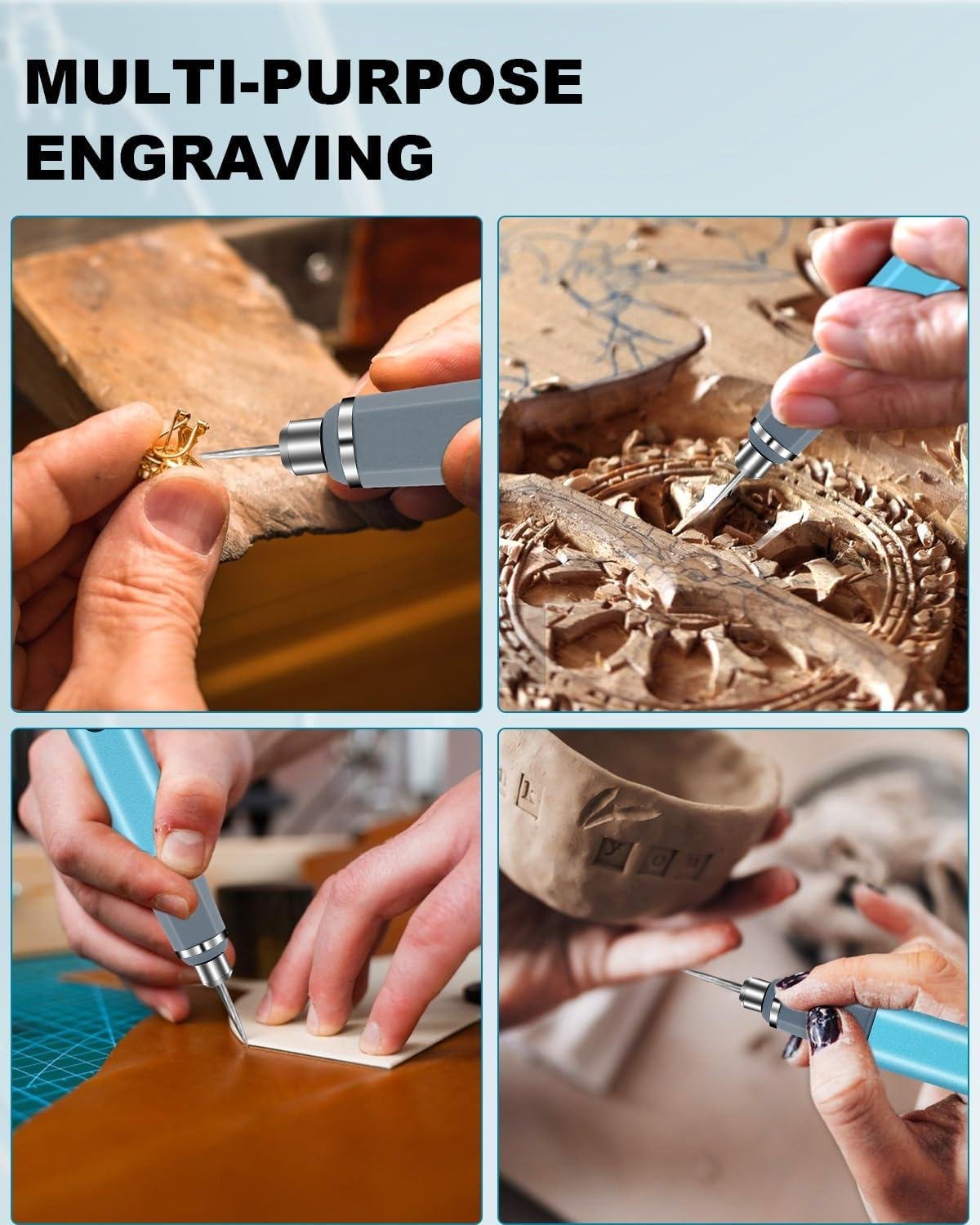
For everyday shop personalization—maker’s marks on jigs, labeling drawer fronts, or signing the underside of a small keepsake box—this cordless pen-style engraver is set up to feel unintimidating in our hands. The big reason is the combination of 5-level speed adjustment with a top-end of 30,000 RPM, plus the LCD screen that shows speed and battery so we’re not guessing mid-pass.In reviews, the most consistent theme is that it’s “incredibly easy to use” and “very easy to control”, with several users calling it “perfect for beginners”.As woodworkers who don’t engrave every day, we also appreciate that it’s a grab-and-go tool: it’s USB-C rechargeable, claimed up to 8 hours of runtime, and it stores neatly in a case—one reviewer even notes it can be charged directly in its storage case. For seasoned makers, the attraction is how the slim body can get into corners where a rotary tool feels bulky; one customer specifically liked being able to “reach tight spaces.”
in practice, this tool works like a tiny high-speed rotary handpiece: we let the bit do the work, keep a light grip, and brace our forearm on the bench to prevent chatter lines—especially on softer woods where a high RPM can “dig” fast. the kit is marketed as an all-in-one setup with 30+ bits, stencils, and a guide, which matches review comments about it coming with a “variety of different drill bits” and being easy to get started with. That said, customer feedback also adds a realism check for heavier-duty use: a few mention “motor stops” or that it’s “not…powerful enough” for tougher materials, which we’d interpret in the wood shop as a reminder to use it for engraving/marking rather than expecting it to behave like a corded die grinder. Safety-wise, we follow the same rule reviewers called out—wear safety glasses—and we recommend practicing on scrap (pine and poplar first) before moving to hardwood faces where a slip is permanent.
- Included accessories: 30+ engraving bits, reusable stencils, detailed guide, storage case (per product description)
- Compatible attachments/accessories: small rotary/engraving bits (burrs, diamond points, small ball/cone tips), stencils/templates for lettering (as included)
- Ideal project types: signing furniture parts, marking jigs/fixtures, lettering on tool handles, decorative linework on small boxes, craft-style personalization on offcuts
- Wood types tested by customers: wood (unspecified in reviews); customers also report use on rocks and glass (useful context for hardness expectations)
| Spec / Feature | What We Get (Per Listing) | What It Means in Everyday Woodworking |
|---|---|---|
| Max speed | Up to 30,000 RPM | Higher RPM helps clean light engraving; use lighter pressure on softwood to avoid “gouging.” |
| Speed control | 5-level adjustable + LCD display | Easier learning curve: we can slow down for control and ramp up for harder surfaces. |
| Power | USB-C rechargeable, claimed up to 8 hours | Convenient for quick shop tasks; some reviewers suggest power consistency may vary under heavy resistance. |
| Weight / noise | 1.5 oz pen; kit 7 oz; 25 dB claimed | Lightweight reduces fatigue for lettering; “quiet” helps for indoor craft-style sessions. |
| Protection | Overload protection auto power-off | Helps prevent damage if we bind the bit, but it can interrupt passes if we push too hard. |
| Accessory Type | Use in Woodworking | Notes |
|---|---|---|
| Engraving bits (included mix) | Lettering, maker’s marks, simple carving lines | Match bit shape to line width; test on scrap first. |
| reusable stencils | Consistent characters/logos on shop projects | Clamp stencil and work from center outward to reduce slips. |
| Storage/charging case (noted by reviewer) | Keep bits organized, reduce lost parts | Convenient if it charges in-case as reported. |
| Task | Recommended “Capacity” (Realistic) | What Reviews Suggest |
|---|---|---|
| Wood engraving/labeling | Light to medium pressure, short passes | Multiple users report it’s easy to use and delivers clean, professional-looking results. |
| Hard/high-resistance carving | not a substitute for corded rotary/die grinder | Some report motor stops or not powerful enough under demanding load. |
| Long continuous sessions | Work in intervals; recharge as needed | Some praise battery life; one reviewer noted it doesn’t last very long on stone. |
See Full Specifications & Customer Photos
Customer Reviews Analysis
What Woodworkers Are Saying (Review Analysis)
1. overall sentiment from woodworking customers
Overall sentiment trends mostly positive on value, convenience, and ease of use, with a clear split on long-term reliability and power consistency. Several woodworkers and DIY crafters mentioned it’s “easy to use,” comfortable in hand, and useful for personalization across materials (including wood). However, some users reported challenges with motor stoppage, cheap-feeling construction, or not enough strength for tougher tasks.
2. Performance feedback (accuracy,power,results)
Accuracy & control
- Common praise includes good control and the ability to make clean,professional-looking marks,especially for personalization and light detailing.
- Multiple reviews highlight that it’s “very easy to control” and produces “clean” results—feedback that aligns well with fine-line lettering and shallow decorative engraving on wood.
power & consistency under load
- The adjustable speed settings are frequently mentioned as a plus (five speeds), helping users tune the tool for different materials.
- Some users reported challenges with power fading or the tool feeling “not strong”, especially over longer use sessions. One reviewer suggested a corded engraver for steadier power “all the way through.”
- At least one review reports the motor stops, which directly impacts performance reliability.
Bottom line (woodworking context): Reviewers generally liked it for light engraving and craft-style detailing, but some found it underpowered or inconsistent for more demanding work.
3. Build quality and durability observations
build quality feedback is mixed:
- Several users described it as good value and appreciated the storage/charging case, suggesting a practical workshop-pleasant setup.
- on the negative side, some users explicitly called it “very cheaply made,” and one reported the motor stops, raising durability concerns.
- Another reviewer noted it “doesn’t last very long” during use, which may point to battery endurance or motor strain depending on material and pressure.
4. Ease of use for different skill levels
Ease of use is one of the most consistent positives:
- Beginners appreciated the straightforward setup—one reviewer expected a learning curve but said it was “incredibly easy to use.”
- DIYers liked the comfortable form factor: “great size, easy to hold,” which matters for hand fatigue and control when tracing letters or patterns.
- A left-handed user specifically noted it worked better than other pens they had tried, suggesting a more universally comfortable grip and handling.
5. Common project types and success stories
Customers successfully used this for:
- Wood art and picture-style engravings (one reviewer said thier kids made “beautiful pictures” on wood).
- Personalization projects (general crafting personalization; “professional touch”).
- Multi-material crafts including glass, metal, rocks, jewelry, which reviewers mention frequently enough—useful for woodworkers who also label jigs, mark tool handles, or personalize mixed-media gifts.
While not many furniture/cabinet-specific mentions appear in these reviews, the patterns suggest it’s best suited to decorative details, names, outlines, and light engraving rather than heavy carving.
6. Issues or limitations reported
Some users reported challenges with:
- Motor stopping (“Motor stops.”), which is a major reliability flag.
- Cheap build feel (“Very cheaply made.”)
- Power limitations on tougher materials or longer sessions (“not strong,” “doesn’t last very long”), with at least one user recommending going corded for consistent output.
- Safety note: one reviewer emphasized, “Make sure to wear safety glasses,” which is relevant when engraving wood (dust/particles) or using small bits.
Summary Table (Woodworker-Centric)
| Aspect | Common Feedback |
|---|---|
| Performance | Clean results and good control for light engraving; some report weak power or motor stopping |
| Precision | often described as easy to control; suitable for fine personalization and outlining |
| Durability | Mixed—some like the value and case; others report “cheaply made” and motor issues |
| Ease of Use | strong positive trend—comfortable to hold, beginner-friendly, left-handed user approved |
| Versatility | Frequently praised for working on wood, glass, metal, rocks, and jewelry |
| Value | Several mention great value for money; negatives focus on reliability/power rather than features |
Pros & Cons
Pros & Cons
in our shop, an engraver pen has to be equal parts “fun craft tool” and “reliable mini workhorse.” This 30,000 RPM cordless option lands in a surprisingly useful middle ground—especially if we’re personalizing small items, doing light marking, or running quick creative sessions without dragging cords across the bench.
Pros
- Five speed settings + LCD feedback: We like seeing exactly what mode we’re in (and how much battery is left) instead of guessing mid-etch.
- Cordless + USB-C rechargeable: Easy to grab for quick jobs, pop in a kit, or take to a class/fair table without hunting for an outlet.
- Beginner-friendly control: The lighter pen style makes it feel more like drawing than wrestling a rotary tool—great for detail work and learning hand pressure.
- Versatile surfaces (in practice): Based on user feedback and typical use cases, we’d expect decent results on wood, glass, metal, plastic, and even rocks—especially for hobby-depth engraving.
- All-in-one kit vibe: The included bits/stencils/case mean we can start testing immediately, and it stores neatly instead of becoming “tool drawer confetti.”
- Quiet operation: If we’re engraving while someone else is filming, packing orders, or just trying to think, quieter is a real quality-of-life win.
- Smart protection / overload shutoff: In theory, this helps prevent damage when we push too hard—useful for beginners (and for those of us who sometimes “lean in” too much).
Cons
- Long-session power can be inconsistent: Some reviewers report the motor stopping or feeling not strong enough for tougher jobs (notably rock/stone). That’s a red flag for production-heavy use.
- Not a substitute for a plugged-in engraver: For deep engraving, hard materials, or “same power from start to finish,” we may still prefer a corded unit.
- Overload protection can feel like interruption: Auto shutoff is great for safety, but if we’re frequently hitting resistance, it may break our workflow.
- Bit quality will likely vary by task: Kits with “30+ bits” are convenient, but we may still end up upgrading select bits for cleaner, more consistent lines.
- Safety still matters (a lot): Small tool,big consequences—glass/metal dust and tiny chips are real. We’ll want eye protection and smart ventilation habits.
| Shop Use Case | How It Feels for Us | best Fit |
|---|---|---|
| Quick personalization (names, dates) | Fast setup, easy handling | Jewelry tags, gift items, small metal plates |
| Decorative glass/wood doodles | More “drawing” than “machining” | Ornaments, coasters, signage accents |
| Stone/rock engraving | Potentially hit-or-miss | Light marking; not deep carving |
| Production batching (same mark, many pieces) | Convenient—but watch consistency | Short runs vs. all-day work |
Our takeaway: The biggest “pro” is how approachable and grab-and-go it is; the biggest “con” is that reliability and sustained power may not satisfy us if we’re treating it like a heavy-duty shop engraver instead of a flexible cordless detail tool.
Q&A
What wood types can this handle effectively?
This pen-style engraver is best on softer and medium-density woods (pine, poplar, cedar, alder, cherry) for names, layout marks, small logos, and light decorative carving. It can also be used on hardwoods, but results depend heavily on using sharp bits, selecting an appropriate speed (it has 5 levels up to 30,000 RPM), and making multiple light passes instead of trying to “dig” in one go.Reviews mention it working well on wood in general, with multiple customers highlighting ease of use and clean-looking results.
Is it powerful enough for hardwoods like oak or maple?
for light engraving and line work on oak/maple, yes—if you keep expectations realistic. It’s a cordless pen engraver (not a full-size trim router or corded rotary tool), so it’s not ideal for deep carving, large area removal, or aggressive shading in dense hardwoods. It also includes overload protection that can shut the tool off under high resistance; that protects the motor but is a sign you’re pushing too hard. Practical tip: use higher speed with very light pressure, let the bit do the work, and plan on multiple passes for hardwood.
How does it perform on plywood and veneers—will it tear out?
It can work on plywood and veneer,but these materials are less forgiving than solid wood.Thin face veneers can chip or “fuzz” if you press too hard or run a dull/too-aggressive bit.Using a finer-point engraving bit, a lighter touch, and test cuts on offcuts helps a lot. For veneered panels, treat it like detail etching rather than carving—think labels, signatures, and outlines more than deep grooves.
Can this handle production work, or is it mainly for hobby projects?
This is primarily a hobby/craft personalization tool. The specs emphasize portability (USB-C rechargeable, up to ~8 hours listed) and features like a 5-speed selector and LCD readout—great for quick shop labeling, signing projects, and gift personalization. For true production (all-day engraving, consistent torque under heavy load, deeper cuts, repeatability), many woodworkers still prefer a corded rotary tool or a small router/CNC setup. One negative review mentions the motor stopping/feeling cheaply made, which is another reason it’s better suited to light-duty work rather than nonstop production.
How arduous is the initial setup, and what adjustments are available?
Setup is straightforward: charge via USB-C, select a speed (5 levels), and install the bit you want. The LCD displays speed and battery level, which helps you make repeatable settings once you find what works on your wood. Customer feedback frequently mentions it being “incredibly easy to use” and “perfect for beginners,” especially for basic engraving and personalization.
Does it work with standard accessories, and how easy are bit changes?
It ships with a 30+ piece bit assortment plus stencils, so you can start immediately without hunting for specialty parts. Bit changes are generally simple on pen engravers: loosen the collet/chuck, swap bits, and retighten.Compatibility with “standard rotary-tool bits” can vary by the exact collet size (not clearly specified in the provided info), so if you already own Dremel-style accessories, confirm the shank diameter matches before buying extras.
Will this fit in a small workshop, and does it need dust collection or a special outlet?
Yes—this is one of its strengths. It’s a small, lightweight cordless tool (the listing notes 1.5 oz for the pen and a compact case), so it stores easily in a drawer or small systainer-style area.it does not require a dust collector hookup,but engraving wood still creates fine dust—use a bench-top vacuum nearby and wear eye protection (a reviewer specifically called out wearing safety glasses). Power-wise, it charges over USB-C, so any common USB charger/power bank works; you don’t need a dedicated shop outlet.
Is it suitable for beginners, and would it satisfy a professional woodworker?
Beginners: yes. Reviews repeatedly mention it’s easy to control and beginner-friendly, and the included bits/stencils lower the barrier to entry. Pros: it can be useful as a lightweight “signing and labeling” tool (marking jigs,adding maker’s marks,quick personalization),but it’s not a replacement for heavier-duty engraving or carving tools. if you’re a professional expecting strong torque, deep cuts, and day-long consistency, a corded engraver/rotary tool is typically a better fit.
Experience the Difference
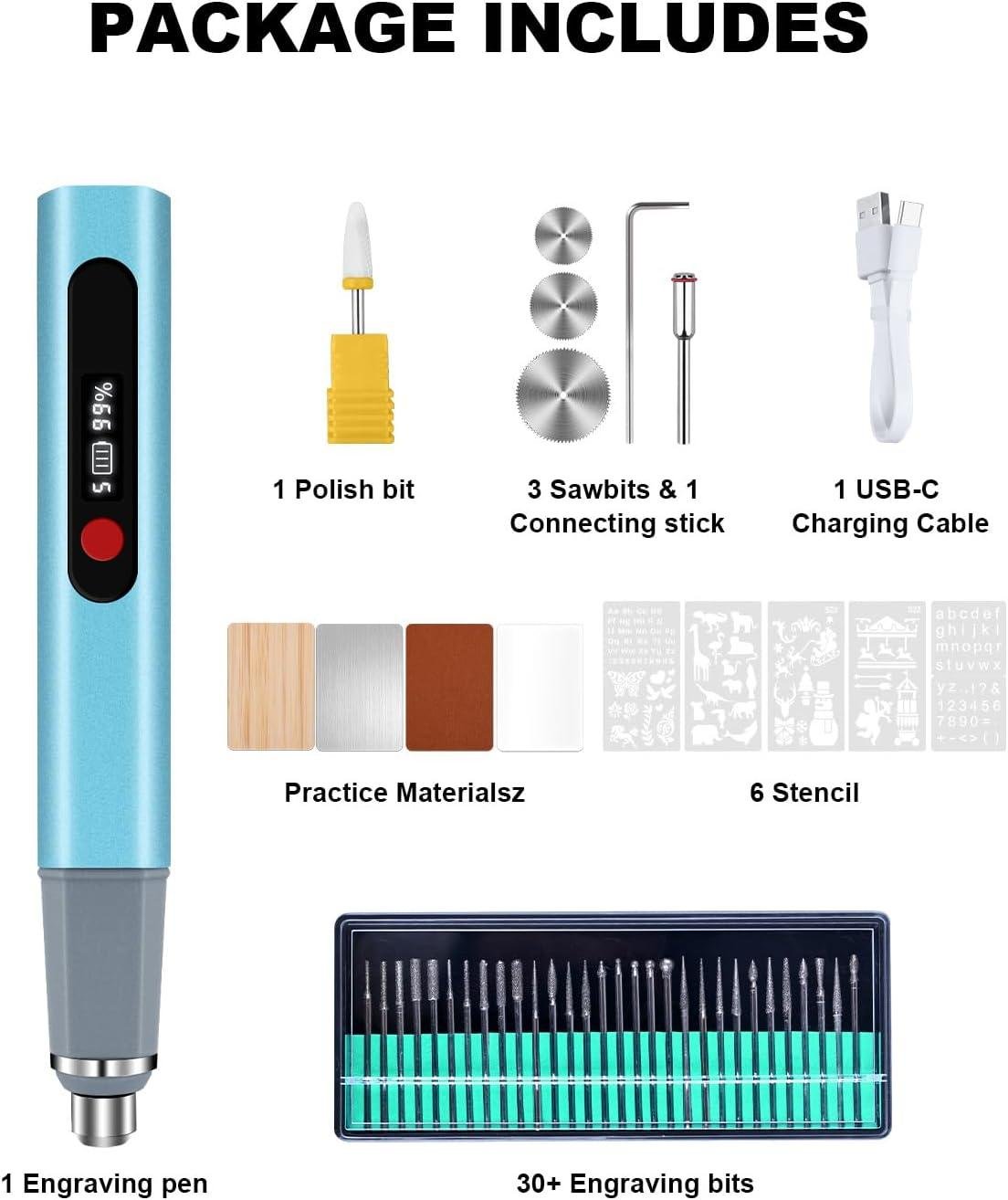
The Engraving Pen, Upgrade 30000RPM Adjustable Engraver Pen Tool is a lightweight, cordless engraver built for detailed marking and light carving, offering up to 30,000 RPM, 5 speed levels, an LCD display for speed/battery, and USB‑C recharging (claimed up to 8 hours). It includes 30+ bits, stencils, and a case, plus overload protection that shuts the tool off under high resistance.Customer feedback most often highlights easy control,beginner-friendly setup,and good versatility across wood,glass,and metal—though a few reviews mention motor stops or limited power for tougher materials.
Best for: hobby woodworkers with small to medium projects, cabinet makers needing precision for monograms/templates, and beginners personalizing boxes, jigs, or gift builds.
Consider alternatives if: you engrave thick hardwoods all day, need production-level durability, or prefer consistent plug-in power.
Final assessment: a solid, value-oriented engraving pen for detail work, with some durability/power tradeoffs.
Want to see current pricing and customer photos? View on Amazon & Read More Reviews →