
Blog
EtchMate Engraving Pen Review: Right for Our Shop?

Ever finished a clean build only to hit the last-mile problem—how do we label parts, sign a project, or add a crisp inlay line without dragging a full-size rotary tool onto an already crowded bench? woodworkers want precision and control, but we also need somthing that won’t feel fiddly, fragile, or overpriced for the job.
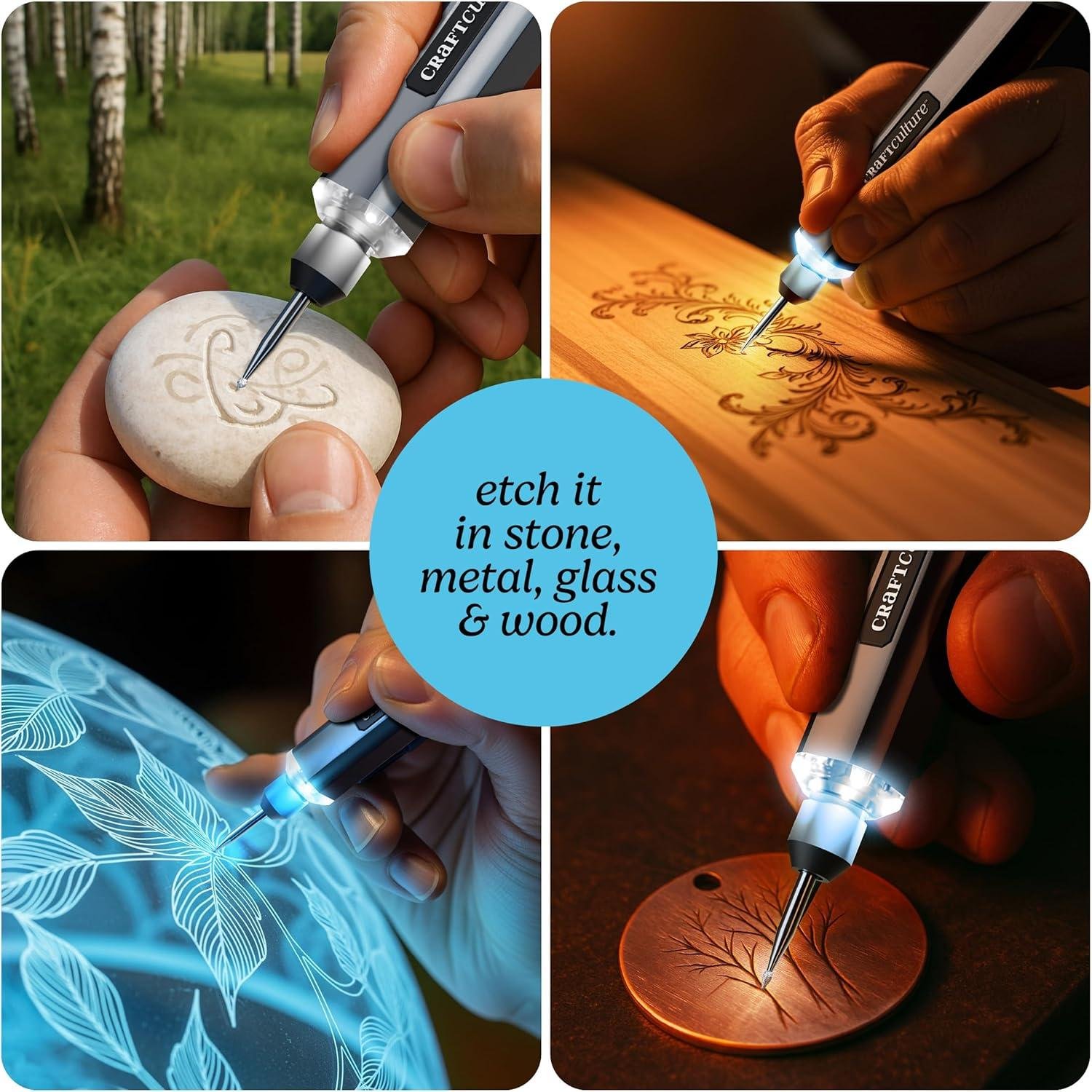
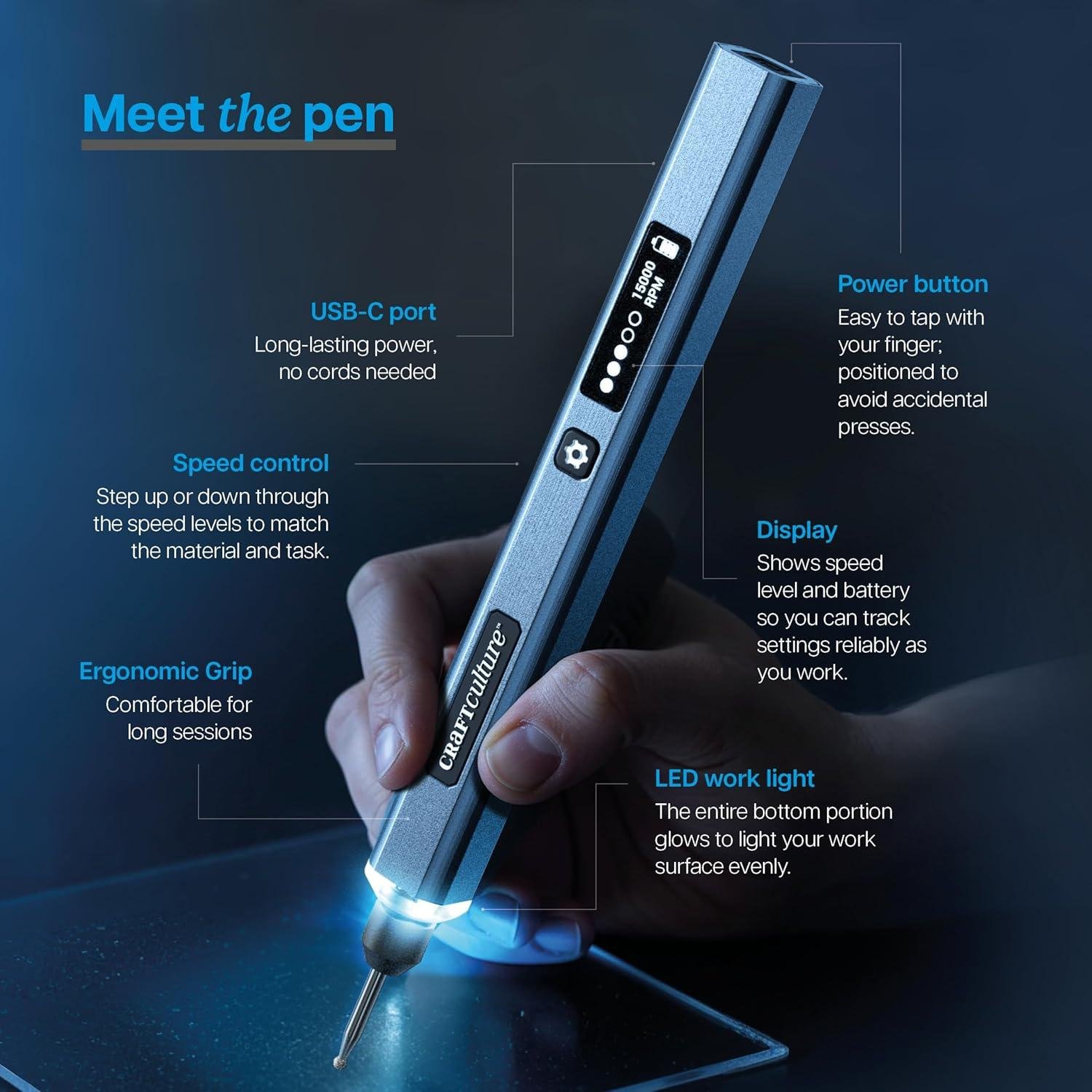
That’s where the EtchMate Engraving Pen comes in. It’s a cordless, pen-style engraver designed for wood, metal, glass, leather, acrylic, stone, and more, with adjustable speeds up to 20,000 RPM, an LED work light, a digital speed/battery display, and an all-in-one kit that includes 31 bits (30 + carbide burr), stencils, test pieces, and a 36-page guidebook.
In this review, we’ll break down the EtchMate’s features, what its design suggests about accuracy and learning curve, how it fits small-shop workflows, and who it’s best for. We’ll also weigh customer feedback—many reviewers praise the ease of use and value, while others mention mixed battery life and a perhaps wobbly bit connection.
We’ve spent years around woodworking tools, and we’ll keep this focused on helping us make a smart, realistic buy.
Tool Overview and First Impressions in the Shop
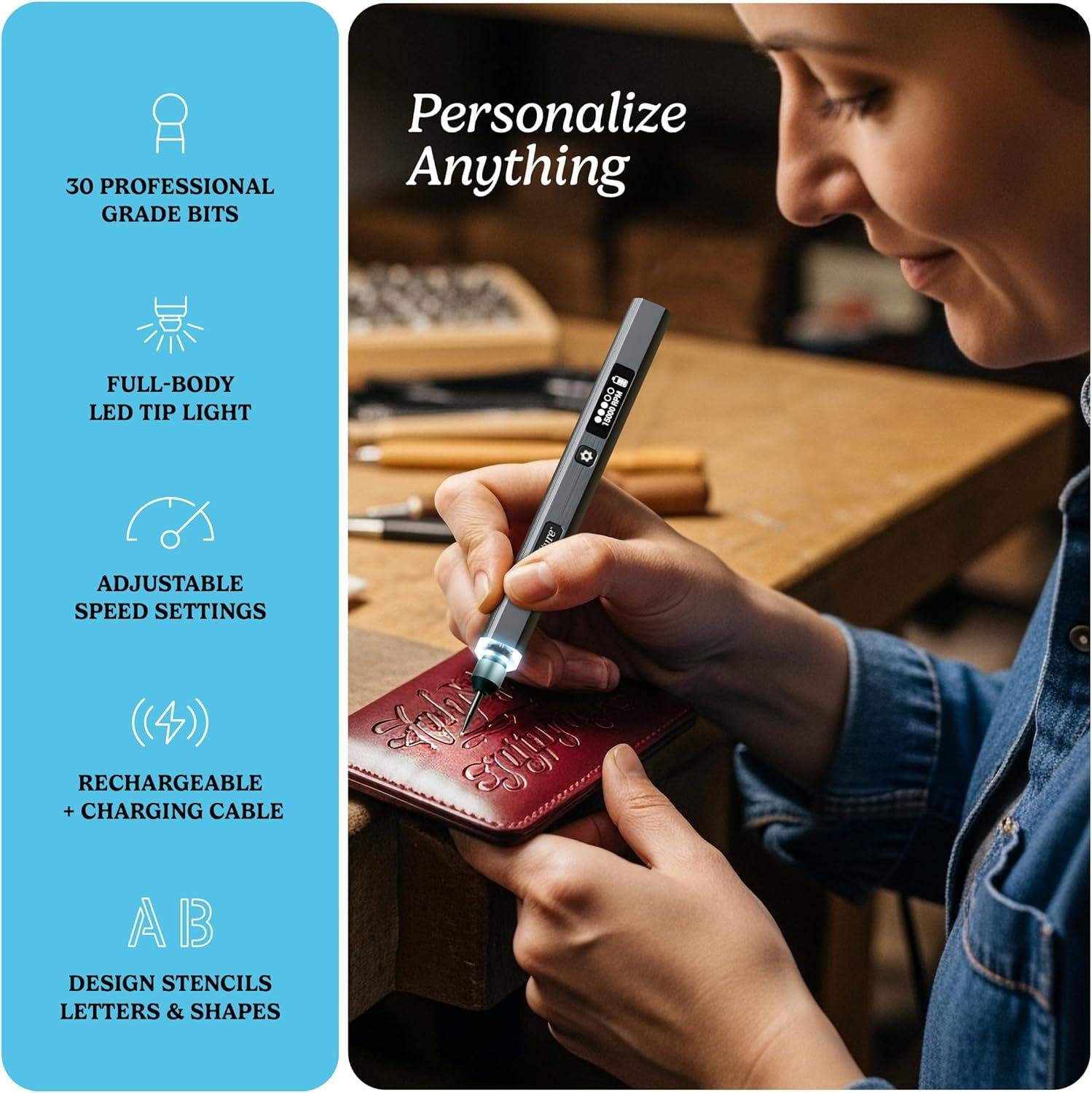
When we set the EtchMate on our bench, it reads more like a “mini rotary” than a classic vibrating scribe—cordless, compact, and built around variable speed control up to 20,000 RPM. In a woodworking shop, that matters because RPM is what determines whether we’re cleanly cutting fibers for crisp lettering or just burnishing the surface and tearing grain. The first impression is that this kit is intentionally beginner-friendly: the smart digital display (speed/battery) and built-in LED work light make it easier to stay on-line when we’re labeling jigs,marking cabinet parts,or adding a maker’s mark to a tool handle without casting a shadow across the work. Customer review themes line up with that “easy entry” vibe—multiple buyers call it “easy to use…even for a beginner”, and several mention the guidebook is detailed and easy to follow, which is useful if we’re teaching a younger shop helper or just trying to avoid the usual learning curve that comes with hand engraving.
Unboxing also gives us a realistic sense of what it is indeed (and isn’t) for woodworkers. The kit is notably complete for the price, and reviews consistently praise good build quality and good value, but also flag two practical shop concerns: mixed battery life (“excellent so far” vs. “barely lasts 10–15 minutes”) and mixed durability around the pen-to-bit connection feeling “wobbly” for some users. We also want to note a key spec/compatibility detail from customer feedback: the chuck uses two small set screws (not a collet), and one reviewer notes it may only accept engraver-style bit shafts rather than standard rotary-tool accessories—so if our workflow depends on swapping in common Dremel bits, we’ll want to confirm shank size before buying extra cutters. In practical shop use, this style of tool works best with a light touch, multiple passes, and good workholding (a clamp or a bench hook) to prevent skating—especially on open-grained woods where earlywood can undercut quickly compared to tight-grained species.
- Included accessories
- EtchMate engraving pen + protective cap
- 30 engraving bits in an organized storage case
- 1 carbide burr bit
- Charging cable
- 4 test pieces (metal, wood, leather, acrylic)
- Stencils (letters, numbers, shapes)
- Illustrated 36-page guidebook with beginner projects
- Compatible attachments/accessories (confirm shank size)
- Replacement engraving-tip assortments (fine point, ball, cone, burr-style)
- Stencils, tracing paper, and transfer paper for repeatable layouts
- Small bench vise / carving clamp for safer control
- Ideal project types
- Marking shop jigs and fixtures (centerlines, setup notes, ownership marks)
- Personalizing tool handles, mallets, and wooden shop gifts
- Light decorative linework on plaques, boxes, and inlay tags
- Engraving non-wood shop items (plastic labels, metal tags, acrylic templates)
- Wood types tested by customers
- Wood (customers report it works well on wood; specific species not consistently stated)
| Spec / Feature | EtchMate (per listing/reviews) | Why it matters in the shop |
|---|---|---|
| Max speed | Up to 20,000 RPM | Higher RPM helps cleaner cuts on hard, dense materials; lower speeds aid control on softwoods. |
| Power | Rechargeable cordless | Convenient for quick labeling; battery variability in reviews suggests charging discipline matters. |
| Visibility | Built-in LED work light | Improves line tracking on darker woods and inside cabinets/awkward angles. |
| Controls | Digital display + multiple speed settings | Repeatable settings when switching from wood to plastic/acrylic shop templates. |
| Bit holding | Set-screw chuck (not collet, per review) | May limit compatibility with standard rotary bits; can affect precision if connection feels loose. |
| Accessory / Bit Type | Included? | Primary use (woodworking angle) |
|---|---|---|
| Engraving bits (assorted) | Yes (30) | Lettering, outlines, light texture, layout marks on jigs. |
| Carbide burr | Yes (1) | More aggressive cutting for deeper marks (use lightly to avoid tear-out). |
| Stencils | Yes | Repeatable labels and clean lettering without freehand drift. |
| Tracing/transfer supplies | No | Helpful for consistent templates; customers mention buying tracing paper separately. |
| Use Case | Recommended capacity/expectation | What reviews suggest in practice |
|---|---|---|
| Short engraving sessions | Best for quick labels and detail work | Battery life is mixed: some report “excellent,” others report vrey short runtime. |
| Precision marking | Light passes,stabilized workpiece | Generally praised for control; a few warn the bit connection can feel wobbly. |
| Accessory swapping | occasional changes, keep the hex key handy | One review notes the set-screw design is less convenient than a collet. |
See Full specifications & Customer Photos
Real World Engraving Performance on Hardwood Softwood and Finished Surfaces
In real shop use, the EtchMate behaves less like a full-size rotary tool and more like a purpose-built detail engraver—and that’s the right mindset for hardwoods, softwoods, and finished faces. With variable speed up to 20,000 RPM, an LED work light, and a cordless rechargeable design, we get the most control when we treat it like a “tiny carving pencil” rather than trying to hog out material. On hardwoods (think maple, oak, walnut), customer feedback consistently points to it being easy to use for beginners and capable of clean personalization—one reviewer specifically mentions using it on wood alongside glass and tile, and others praise the comfort/ergonomics and the visibility the light provides for small lettering. Our best practical approach is to start at a lower speed, make light passes, and let the bit do the work; heavy pressure tends to burnish the fibers or chatter, especially on dense grain. Review themes also flag a real limitation woodworkers should know: the tool uses a set-screw chuck rather than a collet, and multiple reviewers mention the pen-to-bit connection can feel wobbly—so for crisp lettering on hard grain, we’d focus on short strokes, keep the bit shank seated and tightened, and expect a learning curve if we’re used to standard Dremel-style collets.
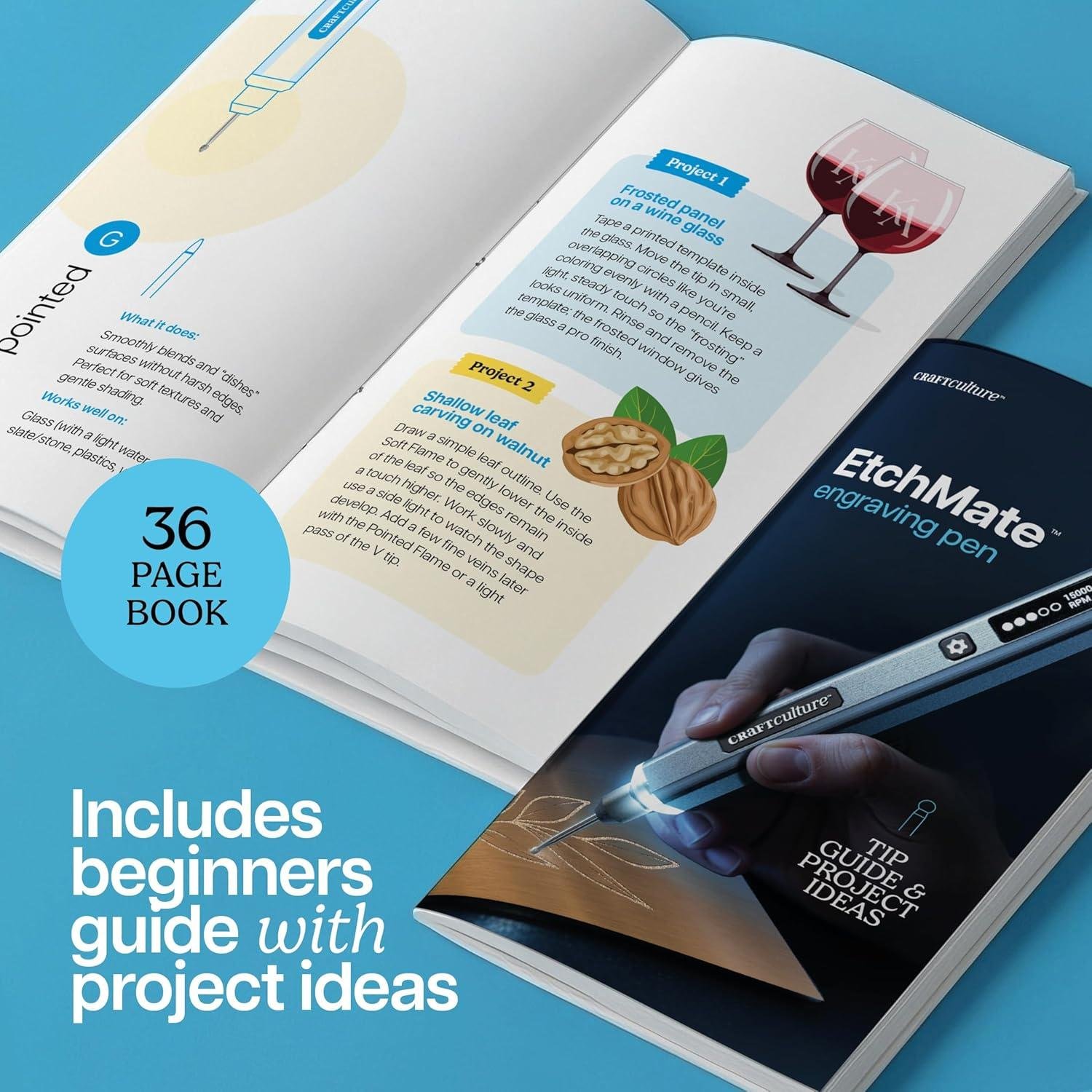
On softwoods and finished surfaces,the EtchMate’s strengths are precision and convenience,but technique matters even more.Pine, cedar, and fir can “fuzz” or tear if we move too fast or use an aggressive burr; that’s where the included guidance helps—customers repeatedly say the 36-page guidebook is detailed and explains bits/speeds clearly, and the kit even includes test pieces (metal, wood, leather, acrylic) and stencils so we can dial in depth before touching a project. For finishes like polyurethane, lacquer, or paint, we treat engraving as either (1) a controlled scratch-through to reveal wood/undercoat or (2) light surface texturing—either way, we recommend practicing on a hidden spot, using painter’s tape as a border, and planning to re-seal the cut lines if we break through a film finish. Battery feedback is mixed in reviews—some call it excellent while others report it doesn’t stay charged for long (one even mentions roughly “10 minutes”), so for a shop workflow we’d keep the charging cable nearby and avoid scheduling long engraving sessions without a top-off. for nameplates, tool markings, shop jigs, and subtle signatures on small parts, this pen looks well matched; for deep carving, inlay channels, or production-level sign work, we’d reach for a heavier rotary tool or trim router instead.
- EtchMate engraving pen + protective cap
- 30 bits in organized storage case
- 1 carbide burr bit
- Charging cable
- 4 test pieces (metal, wood, leather, acrylic)
- Stencils (letters, numbers, shapes)
- Illustrated 36-page guidebook
- Engraver-style replacement bits that match the pen’s set-screw chuck size (reviewers note it won’t fit standard rotary-tool shanks)
- Tracing paper and stencils (commonly mentioned add-ons in reviews)
- Painter’s tape for layout lines and finish protection
- Fine abrasive pad for knocking down fuzz on softwoods after engraving
- tool and jig labeling (ownership marks, settings, reference lines)
- Name/date signatures on the underside of furniture parts
- Small plaques and gift-style shop projects
- Template-guided monograms using included stencils
- Wood (general) (multiple reviewers report success)
- Hardwoods (implied by “works on wood” feedback; best results with light passes)
- Softwoods (works, but expect fuzzing without careful speed/pressure control)
| Spec / Feature | EtchMate (per listing & review themes) | What it means in the woodshop |
|---|---|---|
| Top speed | Up to 20,000 RPM | Fast enough for clean lines; use lower speeds for softwoods and finished surfaces to avoid tearing/skating. |
| Power | Cordless rechargeable | Good for bench work and quick markings; plan around mixed-review battery life. |
| Visibility | Integrated LED light | Helps track layout lines and reduces shadows—frequently praised in reviews for detail work. |
| Bit holding | Set-screw chuck (not a collet) | Limits compatibility with standard rotary-tool bits; also a source of “wobble” complaints—tighten carefully. |
| Accessory Type | Compatible? | Notes for woodworkers |
|---|---|---|
| Included engraving bits | Yes | Good starter variety; several reviewers like the selection, but a few suggest upgrading bits for best results. |
| Standard Dremel-style bits | Often no | Reviews note the chuck size is small and designed for engraver bits, not typical rotary-tool shanks. |
| Carbide burrs (engraver shank) | Yes | Best for hardwood line work; use shallow passes to maintain control. |
| Use Case | Recommended Expectation | Actual Notes (based on specs & customer themes) |
|---|---|---|
| hardwood personalization | Light engraving, multiple passes | 20,000 RPM helps; control aided by LED and ergonomic grip; chuck design may affect ultra-fine precision. |
| Softwood lettering | Low speed, minimal pressure | Expect fuzzing if rushed; clean up with a light abrasive pad after. |
| Finished surface marking | Test first; plan to re-seal if you break film | Works for subtle scratch-through effects; careful layout and tape help prevent slips. |
see Full Specifications & Customer Photos
Key Features Woodworkers Will Appreciate for Detail Work and Personalization
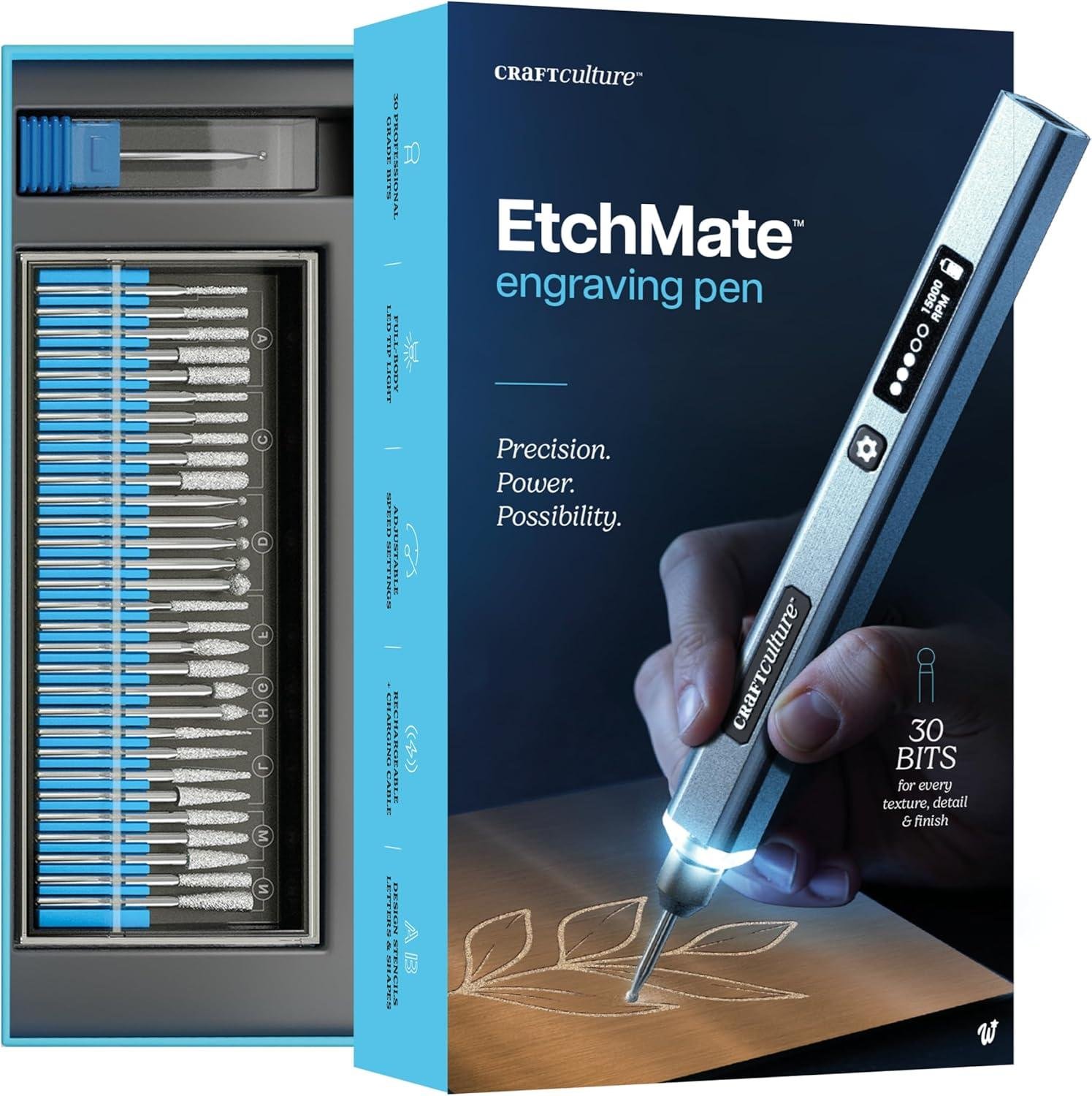
In our shops, the EtchMate stands out as a “small-tool” solution for maker marks, initials, layout labels, and one-off personalization without dragging a full rotary kit onto the bench. The headline spec woodworkers will care about is its adjustable speed up to 20,000 RPM, which is fast enough to scribe clean lines yet controllable when we back it down for softer woods or shallow passes.Several customer-review themes line up with what we look for in detail work: “easy to use,” “great for beginners,” and a comfortable, ergonomic feel that doesn’t fatigue the hand on longer sessions. We also appreciate the built-in LED work light and digital display (speed + battery), since engraving is one of those tasks where visibility and repeatability matter—especially when we’re signing a piece after final sanding and we only get one shot. The included 36-page illustrated guidebook gets repeated praise for being “detailed and easy to follow,” and that’s genuinely useful for learning how different bits behave before we touch a finished drawer front or tool handle.
For practical woodworking request, we’d treat the EtchMate like a precision scribe rather than a mini-router: light pressure, multiple passes, and the right bit choice are what keep the grain from tearing and the letters from looking fuzzy. The kit is genuinely stocked for experimentation, including 31 total bits (30 + 1 carbide burr), plus stencils and test pieces (including wood) so we can dial in speed and hand angle before committing. Reviews also indicate it “works well on multiple surfaces,” with customers mentioning success on wood, plastic tags, glass, tile, rocks, and brass; that multi-material flexibility is handy for engraving shop jigs, fixture labels, or even marking measuring tools.The two biggest caveats for shop use come straight from reviewers: battery life is mixed (some say it’s excellent; others report very short runtimes),and the bit/chuck connection can be a weak point—one detailed review notes it uses two small set screws instead of a collet,and another mentions a “wobbly” pen-to-bit feel. Our best practice is to fully charge before a sign-and-finish session, keep the set screws snug, and test on scrap of the same species (especially open-grained woods like oak) to choose a slower setting and avoid grain-following wander.
See Full Specifications & Customer Photos
Ease of Use for Beginners and Experienced makers in everyday Projects
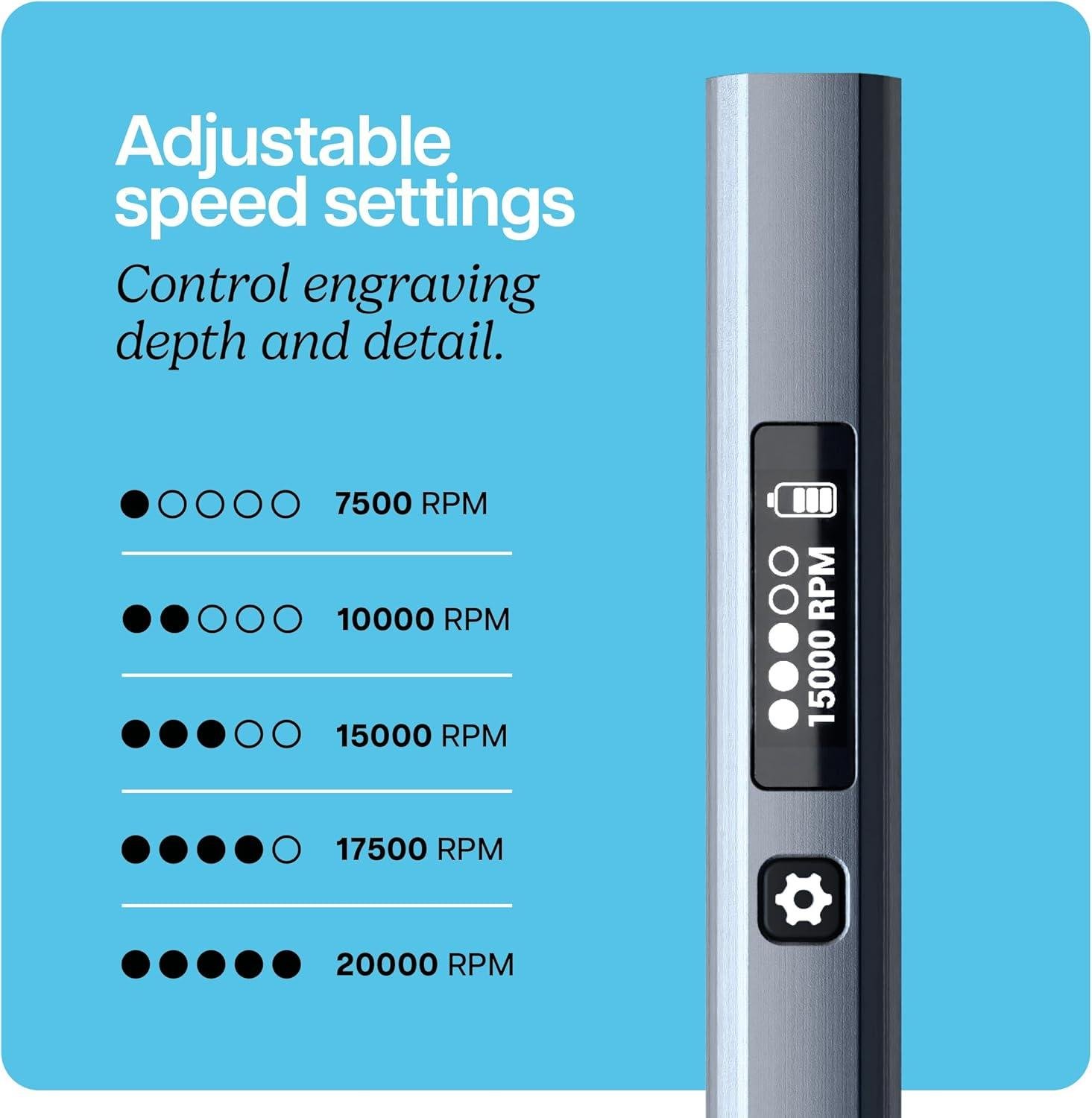
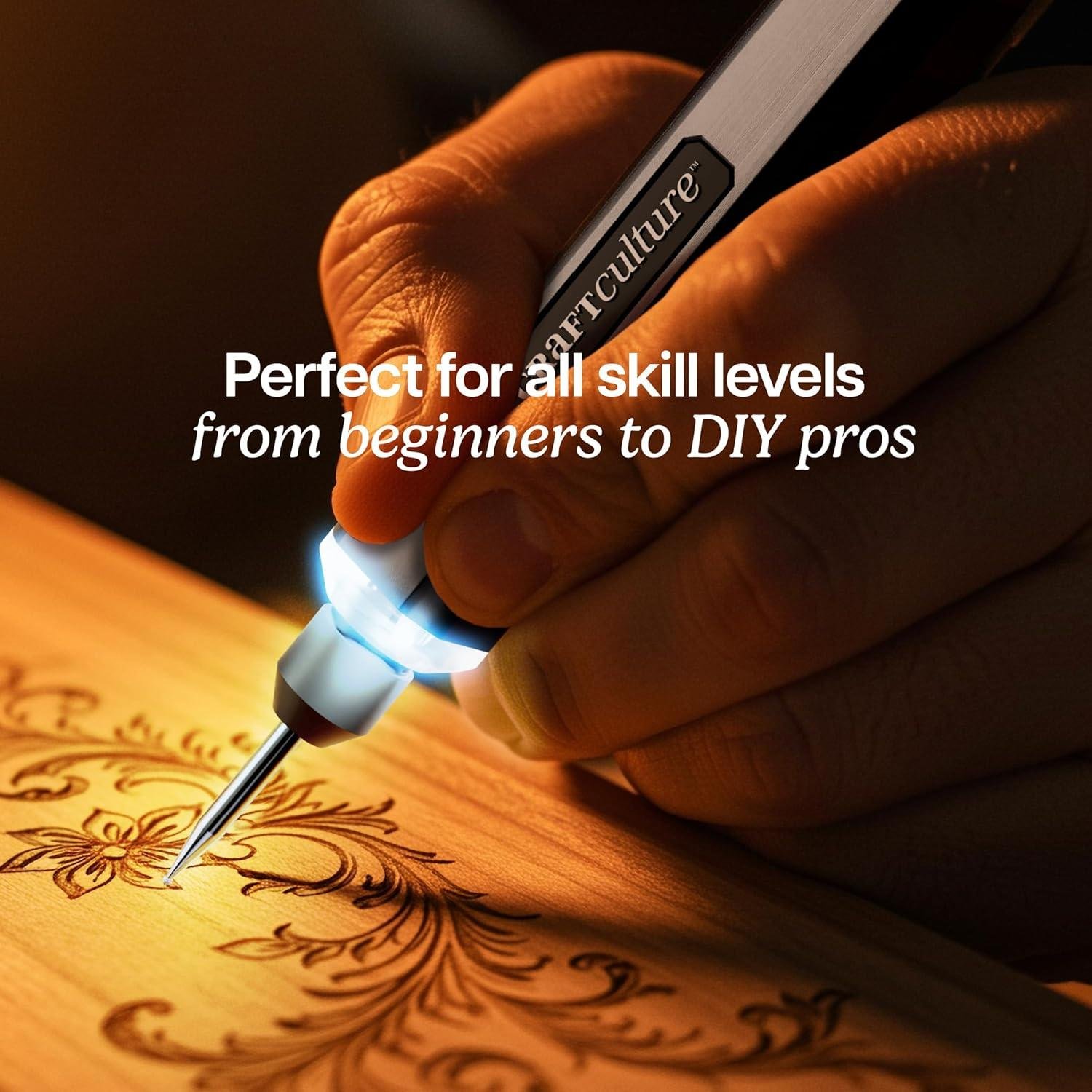
in day-to-day shop work, we like tools that don’t demand a long learning curve, and the EtchMate leans into that with an approachable, “pick it up and start marking” feel. it’s a cordless engraving pen with variable speed control up to 20,000 RPM, a built-in LED work light for tight lines near an edge, and a digital display that tracks settings and battery—features that reduce the typical beginner mistakes of going too fast, losing the line in shadows, or pressing too hard. Reviewers repeatedly echo that it’s “easy to use, especially for beginners” and that the included 36-page illustrated guidebook is “very detailed & easy to follow,” which matters when we’re trying to add clean nameplates, sign our work, or label jigs without turning a simple personalization into a frustrating practice session. In our workflow, this style of pen works best when we treat it like a powered pencil: light pressure, let the bit do the cutting, and “write” with our forearm rather than pivoting only at the wrist for smoother curves on wood faces.
For experienced makers, the kit’s strength is convenience and control rather than raw versatility. The all-in-one set is genuinely workshop-friendly—there’s no assembly beyond charging and installing a bit—and it comes with enough starter materials to test technique before touching a finished project. Customers praise the ergonomic feel (“fits VERY nicely in your hand”) and report success across materials including wood and plastic tags, with one noting it’s “quiet and easy to use.” The main ease-of-use caveat we see in reviews is the bit-holding system: unlike a typical collet, the chuck uses two small hex set screws, and a few users mention a wobbly pen-to-bit connection or bits that don’t feel secure—something that can affect precision on fine lettering in hardwood. Battery feedback is also mixed; some report “excellent battery life,” while others say it “doesn’t stay charged for long,” so in a shop setting we’d plan to top it off before a batch of maker’s marks. If we’re engraving walnut, maple, or pine offcuts for test strokes, a practical approach is to start at a lower speed, make multiple light passes, and use the included stencils for consistent letter spacing—then step up speed only when the line quality stays clean and the tool feels stable.
- Included accessories
- EtchMate engraving pen + protective cap
- 30 engraving bits in organized storage case
- 1 carbide burr bit (31 bits total)
- Charging cable
- 4 test pieces (metal, wood, leather, acrylic)
- Stencils (letters, numbers, shapes)
- Illustrated 36-page guidebook
- Compatible attachments/accessories
- Engraver-specific replacement bits matching the tool’s fixed chuck size (per reviewer notes that standard rotary-tool bits may not fit)
- Tracing paper and stencils (commonly mentioned add-ons in reviews for cleaner layouts)
- Fine-point layout tools (pencil/knife) for pre-marking baselines on wood
- Ideal project types
- Signing finished pieces (maker’s mark initials on the underside of shelves, boxes, and keepsake builds)
- Labeling shop jigs and fixtures (depth settings, fence positions, templates)
- Personalized tags and small gifts (key tags, tool-ID tags, craft components)
- Light decorative line work on wood plaques and laser-cut blanks
- Wood types tested by customers
- Wood (unspecified species) — multiple reviewers mention successful engraving on wood
| Spec / Feature | What It Means in the Woodshop | EtchMate (per specs & reviews) |
|---|---|---|
| Max speed | Higher RPM helps with clean lines, but technique (light passes) matters more than brute force | Up to 20,000 RPM |
| Speed control | Dialing down reduces burning/fuzzing on softwoods and helps lettering | Variable speeds + digital display |
| Lighting | Improves visibility when engraving near edges or in shadowy shop corners | Built-in LED work light |
| Power | Better for detail work and marking than heavy stock removal | Rechargeable cordless (battery life reported as mixed) |
| Bit interface | Affects precision and what bits you can use | Set-screw chuck (reviewers note it’s not a collet; fit can be limiting) |
| Accessory / Bit Type | Use Case | Notes from Specs/Reviews |
|---|---|---|
| Engraving bits (30) | Lettering, light line work, texture | Included; reviewers like the “generous selection of bits” |
| Carbide burr bit (1) | More aggressive cutting on harder surfaces | Included as part of the 31-bit total |
| Stencils | Consistent letters/numbers on projects and jigs | included; users also mention adding tracing paper/stencils |
| Workshop Expectation | Recommended approach | What Review Themes Suggest |
|---|---|---|
| Long continuous sessions | Charge before use; consider breaks between batches | Battery life is mixed (some excellent, some very short) |
| Ultra-fine precision lettering | Use light passes; ensure bit is tightened evenly; test on scrap first | Some mention wobble / set-screw chuck affecting feel |
| Everyday marking & personalization | Low-to-mid speed; stencil/guide lines; finish with a quick brush-off | common praise: easy to use, works well, good value |
See Full specifications & Customer Photos
Customer Reviews Analysis
What Woodworkers are saying (Review Analysis)
1. Overall sentiment from woodworking customers
Several woodworkers and DIY families described the EtchMate as a fun, beginner-friendly engraving pen that’s especially useful for personalizing wood projects and small craft pieces. Common praise includes the built-in light, comfortable pen-like grip, and “good for the money” versatility. Sentiment is slightly mixed due to recurring battery-life complaints and a few frustrations with the chuck/bit system.
2. Performance feedback (accuracy, power, results)
Multiple reviews highlight solid power for a compact engraver and good control thanks to variable speed settings. Woodworking-adjacent users noted it’s strong enough for detailed engraving/marking where a full-size rotary tool would feel “too much and too bulky.”
- Precision & visibility: Several woodworkers mentioned the built-in light makes a meaningful difference for detailed work as it reduces shadows and helps you see your line clearly.
- Control via speeds: Reviewers frequently called out the multiple speed settings as helpful for dialing in control on different materials (including wood).
- Results: Customers successfully used this for etching/engraving on wood, reporting it “works well” and produces satisfying DIY outcomes.
Sparing excerpt: one reviewer described it as a “solid little rotary tool” for smaller work.
3. Build quality and durability observations
Common praise includes a solid feel and comfortable ergonomics that reduce hand fatigue—significant for anyone doing longer detail passes on wood.
- Ergonomics: Several reviewers said it fits “VERY nicely” in hand and doesn’t feel fatiguing.
- perceived build quality: Customers described it as “solid and well made,” and one gift buyer said it “looks like it is of good quality.”
- Travel/handling: One family noted it traveled well (vacation use), suggesting decent day-to-day durability for casual crafting.
4. Ease of use for different skill levels
Reviewers with beginner experience level found it approachable.
- Beginners: Multiple reviews say it’s easy to use right out of the box and “perfect for beginners.”
- Kids/teens learning crafts: Several gift reviews mention children (around 11–12 years old) using it successfully with supervision, helped by a detailed guide/booklet explaining bits and speed settings.
- Small friction point: Some DIYers found bit changes slightly annoying—one reviewer noted you need a tool when swapping bits.
5. Common project types and success stories
Woodworking-related and personalization projects show up frequently enough in the reviews:
- Wood engraving/personalization: Several reviewers mentioned etching on wood as a successful use case.
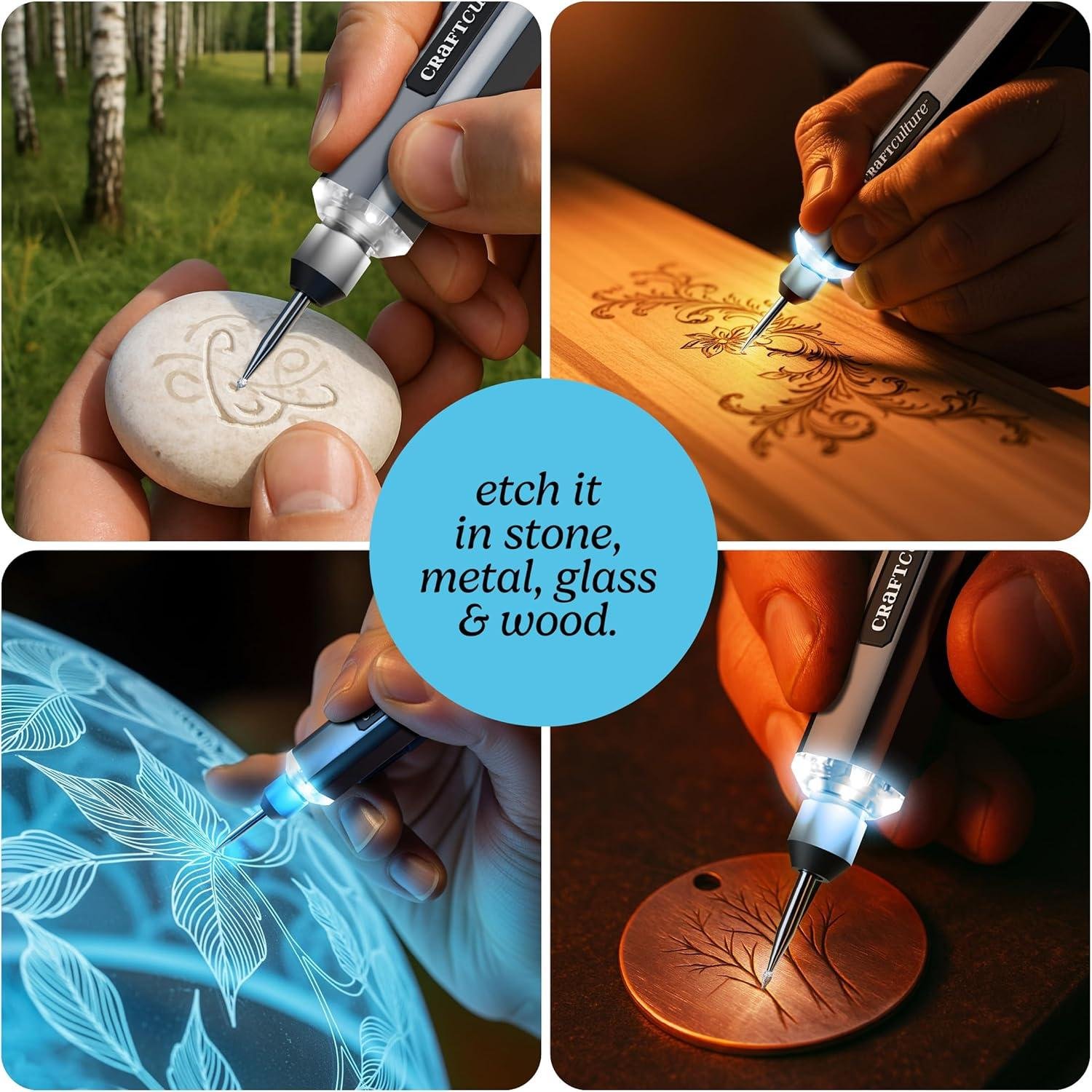
- Mixed-material craft projects: Customers report using this on wood, plastic, rocks, glass, tile, leather, and metal, often for personalized gifts and hobby crafts.
- Tags and small parts: Multiple reviews cite plastic tags, implying it’s popular for labeling—something woodworkers may adapt for shop organization, tool ID tags, or project labeling.
- Family maker projects: One reviewer described a grandson already doing woodworking and carving who became “fascinated” with what the engraver could add to projects (signatures, initials, decorative lines, etc.).
6. Issues or limitations reported
some users reported challenges with a few practical limitations that matter for woodshop use:
- Battery life (most common complaint): While some called battery life “excellent,” multiple reviews mention it doesn’t last long, including one report of only ~10 minutes before dying (that customer returned it).Others said it’s quick to recharge, but still wished it ran longer.
- Chuck/bit compatibility: Multiple reviews highlight the chuck design as a downside: it uses two small set screws rather than a collet, can be frustrating, and limits you to engraver-style bit shafts (not typical rotary-tool accessories).
- Material limitations: One user said it didn’t work well on sea shells (less relevant to woodworking, but it signals that very hard/irregular surfaces may be hit-or-miss).
- Included bits quality: Some users reported the included bits may need upgrading for better results or longevity.
Summary Table (Woodworker-Relevant Themes)
| Aspect | Common Feedback |
|---|---|
| Performance | Good power for a small engraver; variable speeds help control line depth; built-in light improves accuracy on detailed work |
| Precision | Light + speed settings praised for visibility and control; suited for small personalization more than heavy material removal |
| durability / Build | Frequently enough described as solid and ergonomic; comfortable grip with low fatigue |
| Ease of Use | Strong beginner feedback; clear booklet; bit changes can be slightly fiddly |
| Versatility | Used on wood plus many other materials; good for mixed craft projects and labeling |
| Limitations | Battery life mixed (some short-runtime reports); chuck restricts bit compatibility; included bits may need upgrades |
Pros & Cons
Pros & Cons: EtchMate Engraving Pen (For Metal, Wood, Glass, Plastic & More)
When we look at a tool for our shop, we’re not just asking “Does it engrave?”—we’re asking if it fits our workflow, our materials, and our patience level on busy days. Here’s where the EtchMate shines, and where it asks us to compromise.
Pros
- Beginner-friendly out of the box — Between the included stencils, test pieces, and illustrated guidebook, we can go from “new hobby energy” to actual results without a lot of guesswork.
- All-in-one kit feels genuinely complete — The pen, protective cap, 30 bits + carbide burr, charging cable, test materials, and storage case make it feel like a small engraving workstation, not just a gadget.
- Works across a wide range of materials — We like the flexibility for shop use: wood for signs, acrylic for tags, glass for gifts, metal for tools/jewelry, and even leather accents.
- Cordless convenience — No cable snagging on clamps or knocking into a cup of water on our bench. It’s easier to move around projects (or take along to events).
- Comfortable,ergonomic feel — Multiple reviewers mention it fits nicely in hand,which matters when we’re doing careful line work and not just quick initials.
- Helpful visibility features — The built-in light plus digital display (speed/battery) makes the tool feel more “mini precision machine” than “toy rotary pen.”
- Good value as a gift or starter tool — it’s positioned as a gift item, but the kit depth and features make it plausible for real beginner production runs—especially personalization.
Cons
- Battery life is inconsistent — Some people report solid runtime, but others describe very short sessions and frequent recharging. For our shop, unpredictability is the bigger issue than “not the longest.”
- Durability concerns show up — The pen-to-bit connection is mentioned as wobbly by some users, and there are reports of breakage after limited use. That’s a risk if we plan to engrave daily.
- Bit system can be limiting — The chuck/set-screw style setup (per reviewer feedback) may restrict us to engraver-specific bits and make swapping feel fiddly compared to a collet-style approach.
- Included bits may not satisfy power users — A few customers suggest upgrading bits for better results. We’d treat the included set as “starter variety,” not necessarily “final word.”
- Not equally great on every surface — It’s marketed as “all materials,” but real-world feedback suggests certain items (like sea shells) might potentially be hit-or-miss. We’d still test each material batch.
At-a-Glance Shop fit
| Category | How It Feels in a Shop Setting | Our Take |
|---|---|---|
| Setup & Learning | Guidebook + stencils + test pieces speed up practice | Great for onboarding new hands |
| Personalization Jobs | Ideal for initials, names, small designs, labeling | Strong “gift & tag” tool |
| Long Sessions | Ergonomic, but battery variance can interrupt flow | Better for short bursts |
| Reliability | Mixed reports: wobble/bit issues for some users | We’d keep a backup plan |
| Value | Feature-rich kit for the price category | Worth it if expectations are realistic |
Bottom line: For our shop, the EtchMate reads like a confident starter-to-intermediate engraving pen—excellent for personalization, experimenting across materials, and training—while the battery consistency and long-term durability are the two question marks we’d watch closely.
Q&A
What wood types can this handle effectively?
The EtchMate is best for engraving and labeling on most common woodworking species—softwoods (pine, cedar), medium hardwoods (poplar, cherry), and many dense hardwoods when you take light passes. It’s a rotary engraver with adjustable speed up to 20,000 RPM, so it’s designed for controlled etching rather than removing lots of material.Reviews mention successful use on wood in general, and the kit even includes a wood test piece plus a guidebook to help you dial in technique.
Is this powerful enough for hardwoods like oak or maple?
For hardwoods, think “marking tool” more than “carving tool.” It can engrave oak/maple, but you’ll get the cleanest results by slowing down, using sharp bits, and making multiple light passes rather of pushing hard. A few reviewers describe it as powerful for its size,but others note the included bits may need upgrading for the best bite in tougher materials. If you try to force deep cuts in dense hardwood, that’s when chatter, burning, or wandering lines can happen.
How does it perform on plywood,veneer,and end grain?
It can work on plywood and veneers,but these materials are easier to damage because the top layer is thin and glue lines are harder than the surrounding wood. Use a fine tip, light pressure, and practice on scrap first.On end grain (especially oak), the tool can “skip” with the grain if you rush—multiple shallow passes and stabilizing your hands (or using a simple guide/stencil) helps a lot.
Can I use standard Dremel/rotary-tool accessories and bits?
Not reliably. one detailed review points out the EtchMate uses a small set-screw style chuck (two tiny hex screws),not a collet system. That means it’s generally limited to engraver-style bits with the correct shank size and won’t accept many “standard rotary tool” bits. The kit includes 30 bits plus a carbide burr, so you can do a lot out of the box—but if you already own a big selection of Dremel bits, don’t assume they’ll fit.
How difficult is setup and bit changes?
Initial setup is straightforward: charge it,pick a bit,set your speed on the digital display,and start practicing on the included test pieces. Bit changes are a little more “shop-tool” than “crafty,” because the chuck uses small hex set screws; one reviewer called the chuck the weakest part of the design. Practically, that means keeping the hex key handy, tightening evenly, and double-checking the bit is seated straight to reduce wobble.
Will this fit in a small workshop, and does it need dust collection?
It’s very small-shop friendly: cordless, pen-shaped, and easy to store in its case. You don’t need dedicated dust collection, but engraving wood still makes fine dust. For best practice, wear a respirator, use a small bench-top fan/HEPA air cleaner if you have one, and vacuum the work area afterward—especially when engraving plywood or resinous woods.
Is this suitable for beginners, and what’s the learning curve?
Beginner-friendliness is one of the strongest themes in reviews. People mention it’s easy to use, comfortable in hand, and the illustrated guidebook is detailed and understandable (including what bits/speeds are for). The learning curve is mostly about control: letting the bit do the work,keeping consistent depth,and choosing the right speed for the species.Many beginners get good results quickly using stencils/tracing paper, which reviewers also mention doing.
Could a professional woodworker use this for production work, or is it more of a hobby tool?
It’s better suited to hobby work and light professional tasks like signing pieces, adding quick personalization, marking jigs, or labeling tools—especially as it’s cordless and includes an LED light for visibility. For all-day production engraving,reviews raise two potential limits: battery life is mixed (some report excellent life; others say it doesn’t hold a charge long),and durability feedback is mixed with mentions of wobble at the pen-to-bit connection.A pro who engraves constantly may prefer a corded rotary tool with a proven collet system, but for occasional shop marking and personalization, it can be a handy, grab-and-go option.
Seize the Chance
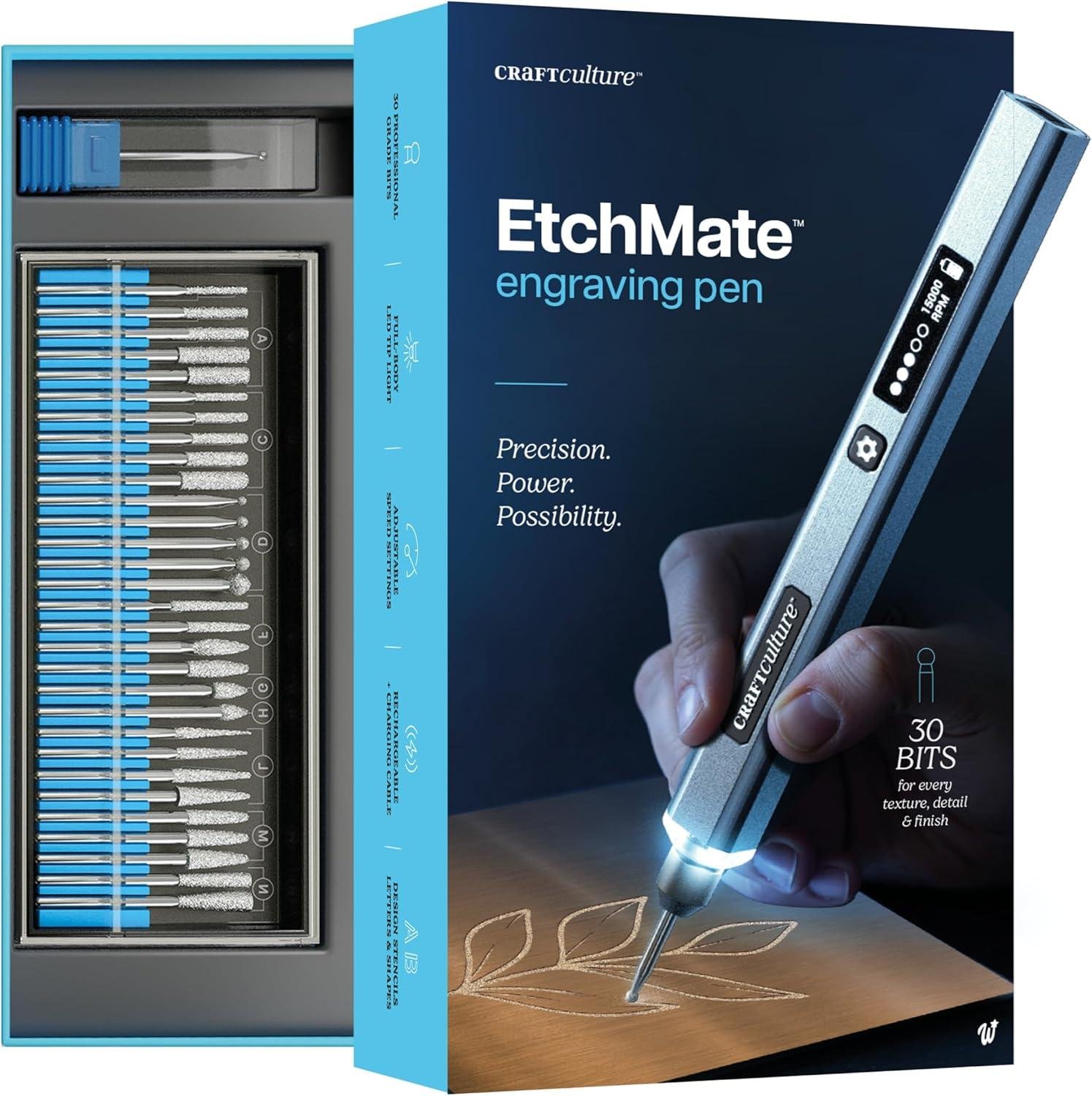
The EtchMate Engraving Pen is a cordless, rechargeable engraver that spins up to 20,000 RPM, with variable speed control, a digital display for speed/battery, and an LED work light for visibility. It’s sold as an all-in-one kit with 31 bits (30 + carbide burr), stencils, test blanks, and a detailed guide—something customers frequently praise alongside its easy learning curve, comfort in hand, and solid value. Common drawbacks in feedback include mixed battery life and occasional wobble at the bit/chuck connection, plus a bit system that isn’t as universal as full-size rotary tools.
Best for: hobby woodworkers with small to medium projects, beginners personalizing signs/jigs, and cabinet makers adding crisp labels or detail work.
Consider alternatives if: you need all-day reliability, want a standard collet for common Dremel bits, or plan heavy engraving in thick hardwoods.
Final assessment: a solid mid-range option for precise personalization—great capability, with durability/battery being the main “watch-outs.”
Want to see current pricing and customer photos? View on Amazon & Read more Reviews →